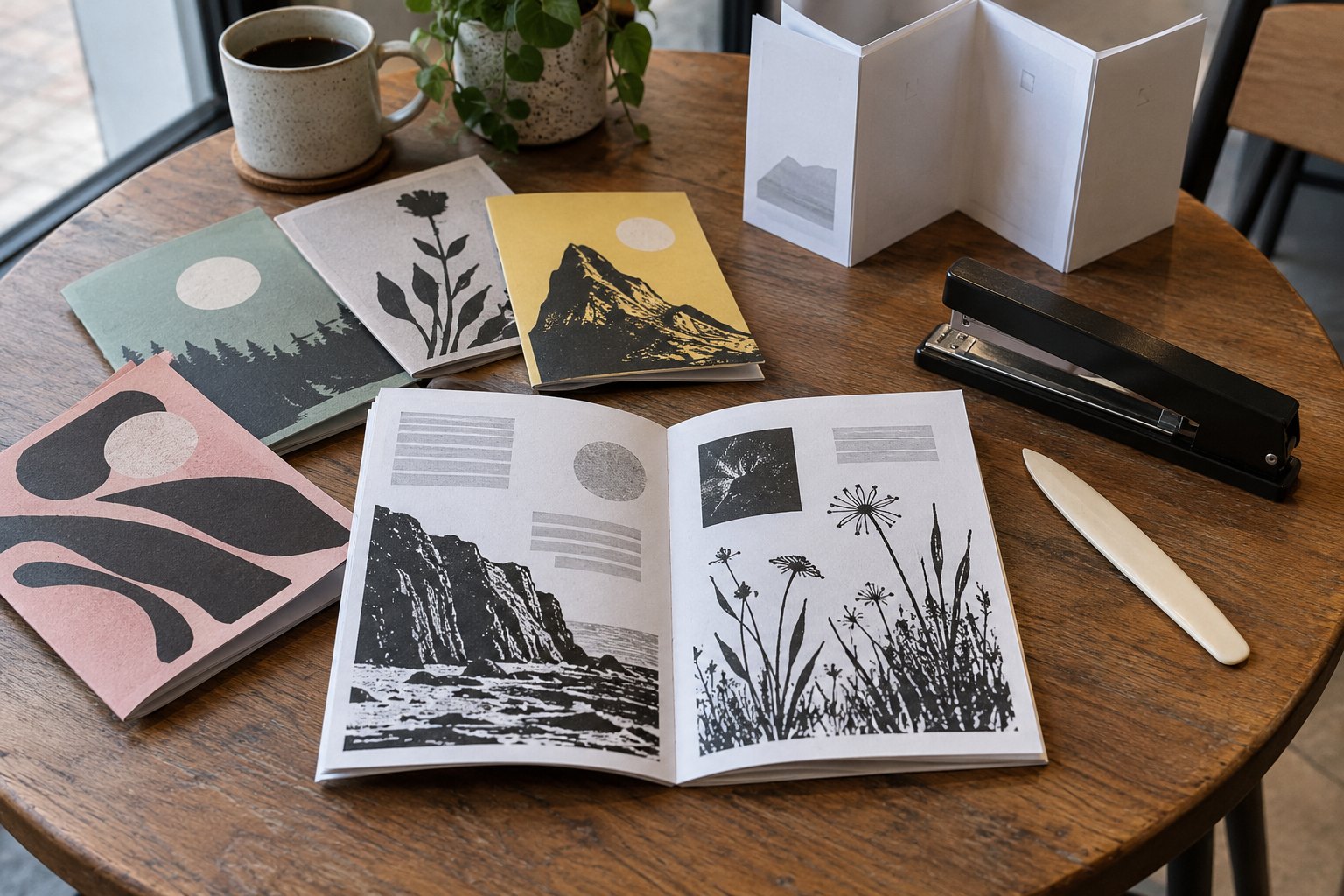
Your story, drawings, or recipes are ready, but they are still a loose pile of pages on your screen. The real question now is how to print a zine so the cover lands first, the pages follow in order, and the result is a stapled booklet you can hand to someone.
This guide walks through the six steps that get you there: set the page count, build a page dummy, choose size and stock, lay out the pages with bleed, export a print-ready PDF in reading order, and check the proof before a small first run.
The short version
- Set the page count in steps of 4, and remember the cover is 4 of those pages.
- Build a page dummy before you design, so the order is settled early.
- Pick a size: A5 booklets at 148 x 210 mm (5.83 x 8.27 inches) or A4 booklets at 210 x 297 mm (8.27 x 11.69 inches).
- Choose the inside stock and the cover stock as two separate decisions.
- Export single pages in reading order in one PDF, not printer spreads.
- Extend edge artwork by 5 mm for bleed, and hold the line until the proof is approved.
Set the page count in steps of 4, cover included
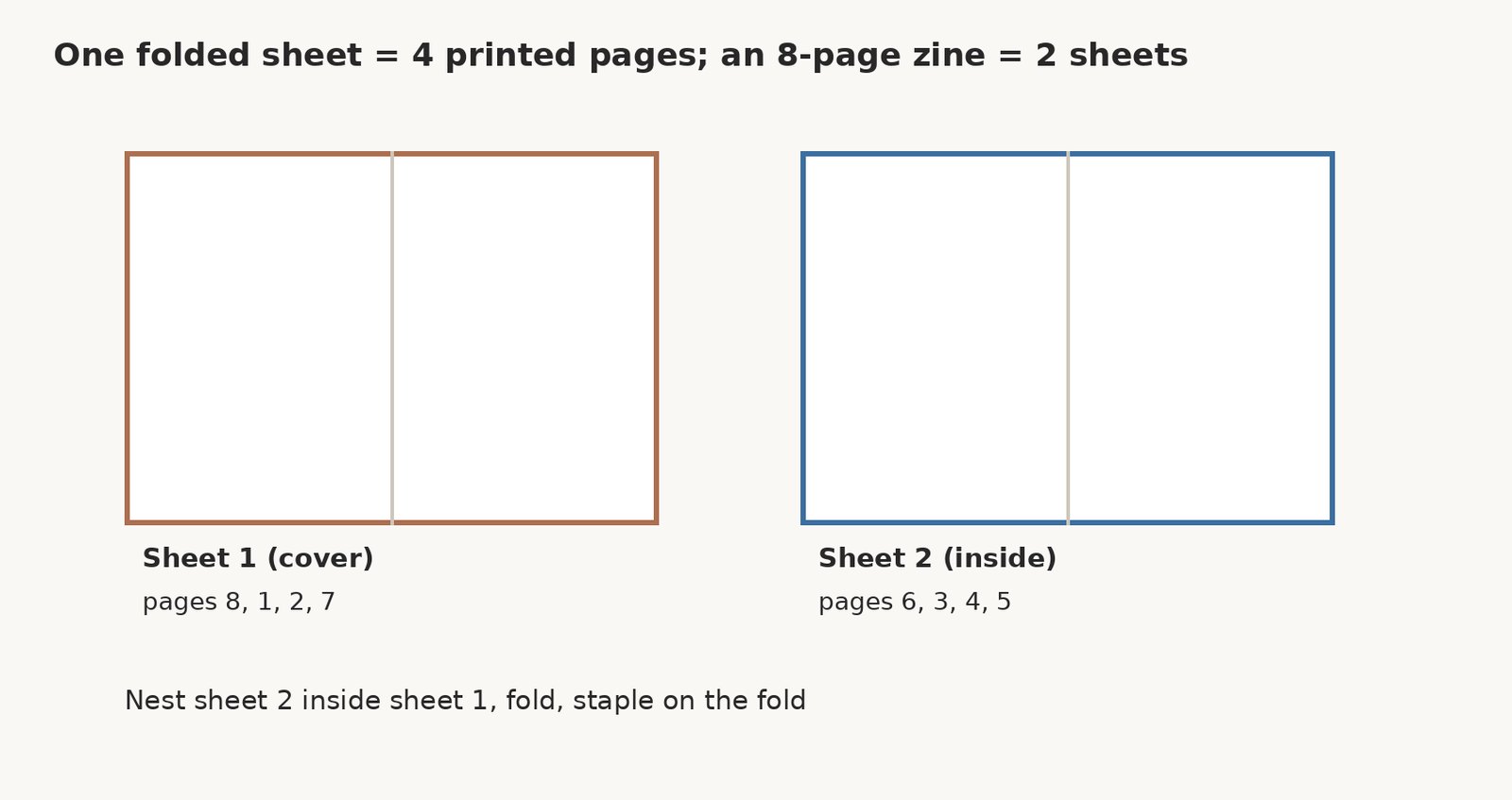
A saddle stapled zine is built from folded sheets, and each folded sheet carries four printed pages. That is why the page count moves in steps of 4. You can print 8 to 56 pages, so the totals run 8, 12, 16, and on up to 56.
The cover counts inside that total. It takes up four pages: the front, the inside front, the inside back, and the back. A 16-page zine is four cover pages plus 12 inside pages, and that 16 builds from four folded sheets nested together. An 8-page zine is two folded sheets.
Blank pages count toward the total as well. If your content lands between two steps, add a page, such as a notes page, an image, a contents page, or a blank inside cover, or remove one, so you land exactly on a step of 4.
| Printed pages | Folded sheets | Cover + inside |
|---|---|---|
| 8 | 2 | 4 + 4 |
| 12 | 3 | 4 + 8 |
| 16 | 4 | 4 + 12 |
| 24 | 6 | 4 + 20 |
Set it right here, and the dummy, the file, and the run all follow.
Make a page dummy before you design
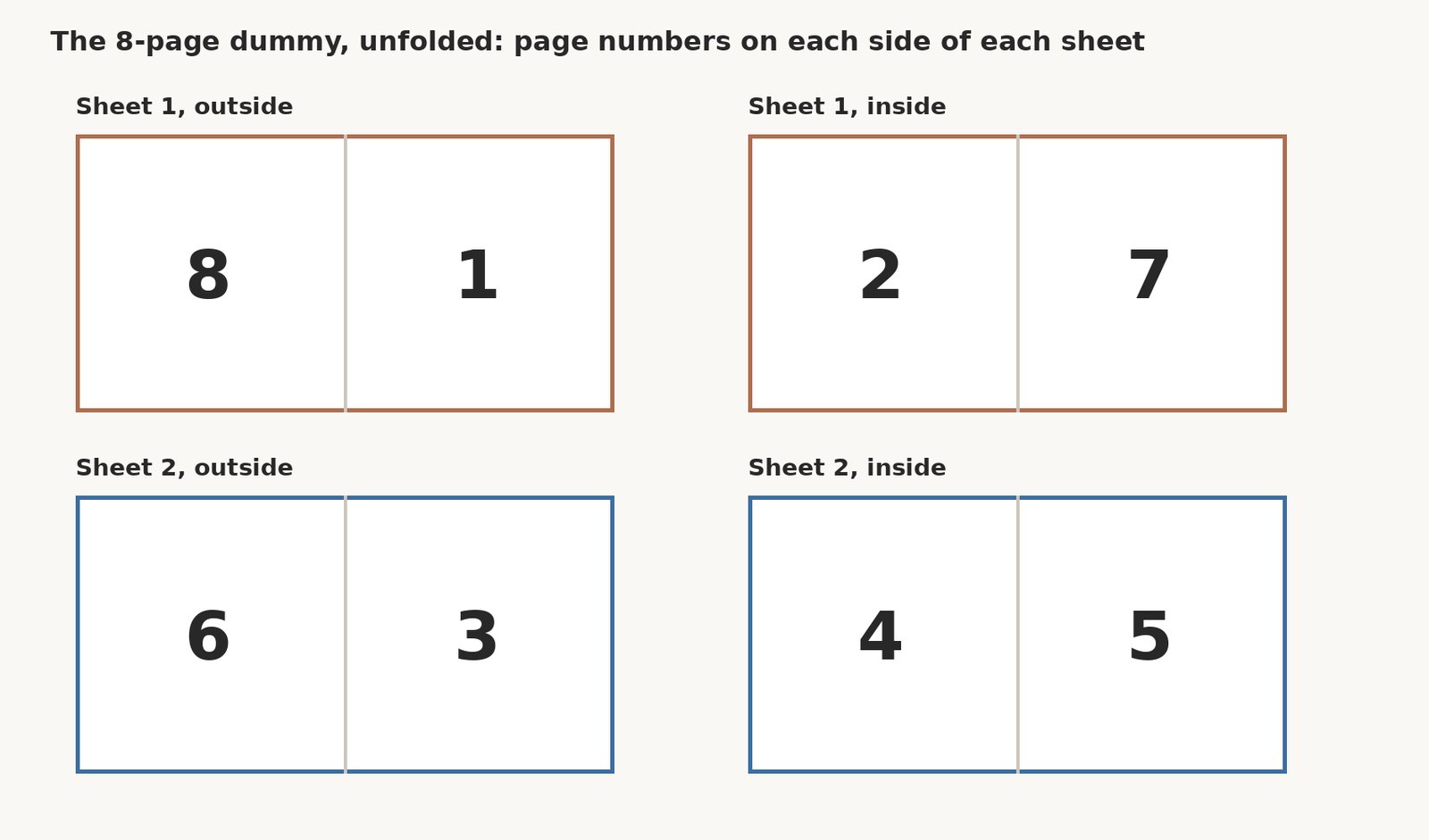
Before you commit to a design, build a page dummy out of plain paper. It is a cheap and fast way to see the real print order, because the order on your screen is not the order on the press.
- Fold the right number of plain sheets in half.
- Nest the folded sheets together.
- Staple or hold them at the fold.
- Number every page in the corner, including the cover pages and any blank pages.
- Unfold the stack and read off which pages share a sheet.
Those numbers settle your plan: which content goes on which page, where the cover and any blanks sit, and how the booklet reads. The printer still arranges the sheets from your single-page PDF.
Choose size and stock for your zine printing
For zine printing, we offer two sizes: A5 booklets at 148 x 210 mm (5.83 x 8.27 inches) and A4 booklets at 210 x 297 mm (8.27 x 11.69 inches). Both come portrait or landscape.
If you are based in Australia, the A5 booklet is available on our Australian page.
Inside and cover are two separate choices. The inside pages can be 113 GSM Gloss, 128 GSM Matte, 150 GSM Gloss, or 150 GSM Matte. The cover can be 150 GSM Matte, 150 GSM Gloss, 250 GSM Matte, or 250 GSM Gloss, and gloss or matte lamination is available on the 250 GSM covers only.
| Choice | Options | Good to know |
|---|---|---|
| Size | A5 booklets (148 x 210 mm, 5.83 x 8.27 inches) and A4 booklets (210 x 297 mm, 8.27 x 11.69 inches) | Portrait or landscape |
| Inside pages | 113 GSM Gloss, 128 GSM Matte, 150 GSM Gloss, 150 GSM Matte | Picked separately from the cover |
| Cover | 150 GSM Matte, 150 GSM Gloss, 250 GSM Matte, 250 GSM Gloss | Four GSM options |
| Cover lamination | Gloss or matte | On the 250 GSM covers only |
Lay out the pages: bleed, safe area, and the spine fold
Bleed is where your artwork runs off the edge of the page. Any image or color that touches the trim should extend 3 mm past it. That little overrun stops a thin white line from showing once the sheet is cut.
Keep the opposite true for the words. Text and any detail you cannot afford to lose should sit at least 3 mm inside the trim. Keep all of it clear of the spine fold, where the saddle stitch pulls the pages in.
Place images at 300 ppi at the size they will print, the standard practice that keeps them sharp on the page. Our guide to set up a booklet walks through the margins, trim, and safe area in one place.
Do the bleed and the safe area properly here, and the rest of the build follows them.
Export a print-ready PDF, single pages in reading order
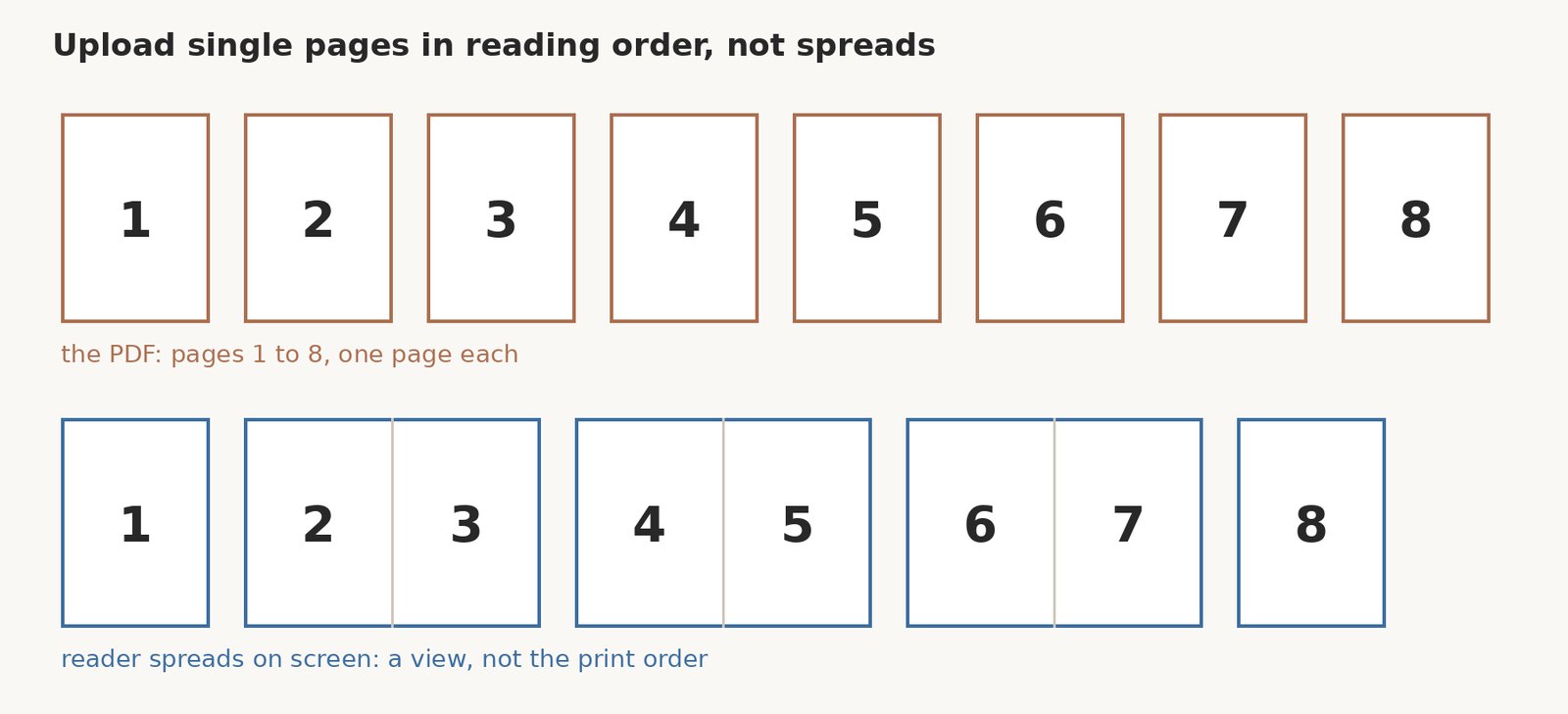
Send one PDF of single pages in reading order. Page 1 is the front cover and the last page is the back cover. Do not send printer spreads. The spreads in your layout software are reader spreads, not the print order, and we arrange the sheets ourselves.
Before you send it, open the PDF and confirm the page count. The total pages in the file should match the number you planned, cover included, and it should land on a step of 4.
Choose the weight of the paper to suit your zine. A quick look at our paper weight guide shows you what each GSM option feels like in the hand.
Get the PDF right, and the print shop does the rest.
Check the saddle stitch proof, then print a small first run
After you order, a proof comes to you by email. Nothing prints until you approve it, so this is your last chance to catch a mistake. Check the page order, the fold, and the trim before you sign off.
Then print a small first run. We start at 10 booklets, which covers what you need to hand out. If it runs low, a reorder can be printed from the same approved file.
Production takes 3 to 7 working days after you approve the proof. That window is production only, not delivery, so build it into your timing.
Frequently asked questions
How many pages can a zine have?
You can print 8 to 56 pages in steps of 4, so the totals run 8, 12, 16, and on up to 56. The cover is part of that count. It uses up four pages: the front, the inside front, the inside back, and the back. So a 16-page zine is four cover pages plus 12 inside pages, and an 8-page zine is the smallest size. Blank pages count toward the total too, so if you run short, add a notes page, an image, a contents page, or a blank inside cover.
Does the cover count in the page count?
Yes. The cover is four of the printed pages, so it sits inside your total. Those four are the front, the inside front, the inside back, and the back. That is why a 16-page zine is really four cover pages plus 12 inside pages, and why the cover takes its own stock and, where you choose it, lamination. Count it from the start and your total stays on a step of 4.
Why make a page dummy?
A page dummy shows you the real print order before you design. You fold the right number of plain sheets in half, nest them, staple or hold them at the fold, and number every page in the corner, cover and blanks included. When you unfold the stack, the numbers reveal which pages share a sheet. That is the order the press uses, and it is not the same as the reader spreads you see on screen.
Should I upload spreads or single pages?
Upload single pages in reading order. Page 1 is the front cover and the last page is the back cover, all in one PDF. Do not send printer spreads. The spreads in your layout software are reader spreads, not the print order, and we arrange the sheets ourselves unless the team asks otherwise. Sending the pages in order is what keeps the cover first and the inside running correctly.
What size should my zine be?
Two sizes are available. A5 booklets measure 148 x 210 mm (5.83 x 8.27 inches), and A4 booklets measure 210 x 297 mm (8.27 x 11.69 inches), both portrait or landscape. A5 is the smaller option, easy to hold for a short zine, while A4 gives you more room for images and text. Australian readers order the A5 booklet on the Australian page.
How many copies should I print first?
Start with the smallest run that covers what you need to hand out. We print from 10 booklets, so a first batch of 10 is a sensible starting point. If it runs low, a reorder can be printed from the same approved file. Production takes 3 to 7 working days after you approve the proof, and that window is production only, not delivery, so time it against your schedule.