
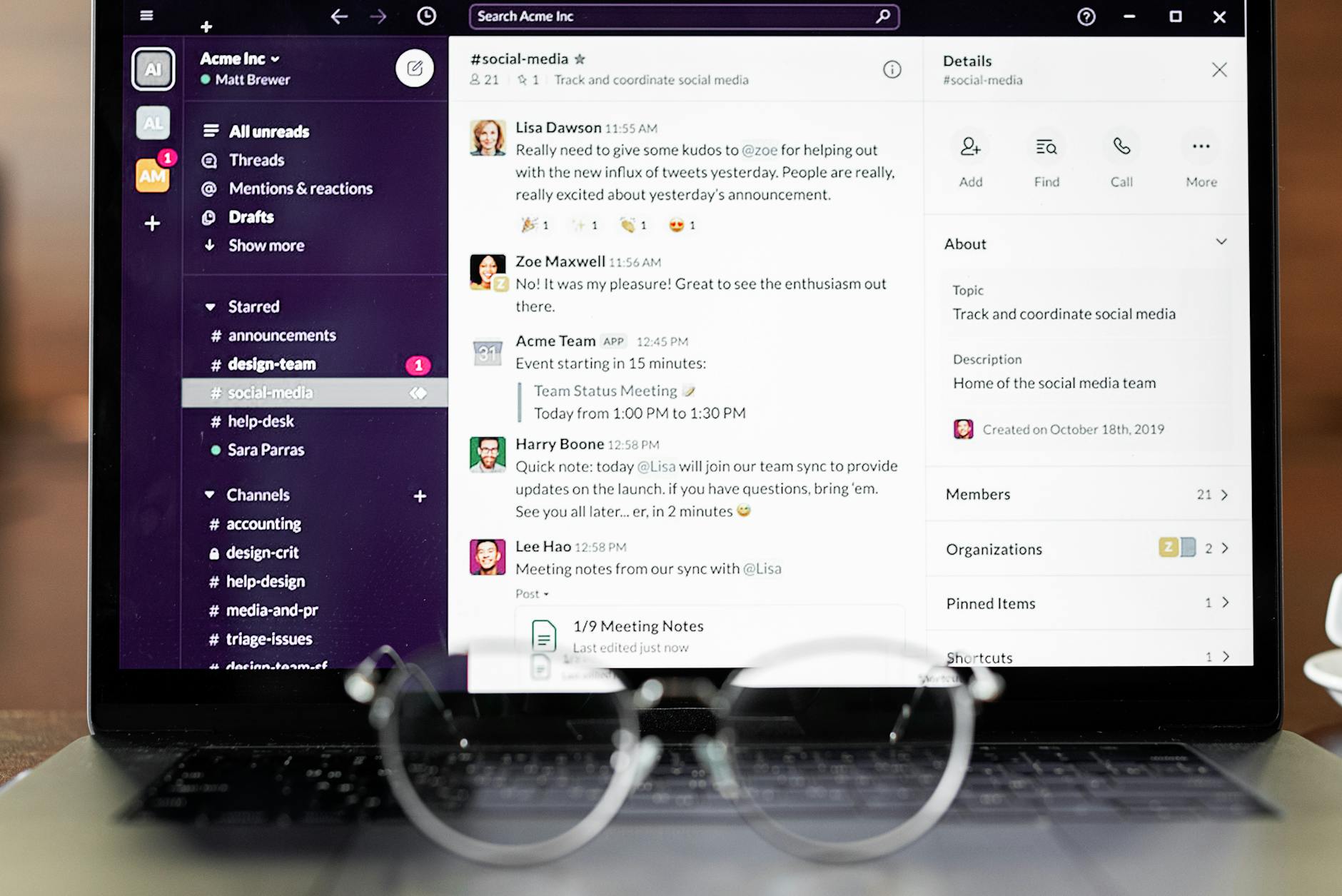
- Free tools like Canva and Adobe Express work well for standard cards with conservative colours, but do not export with bleed or CMYK support
- Paid tools (Canva Pro, Affinity Publisher, Adobe InDesign) give you print-ready PDF/X output, bleed, and proper CMYK colour management
- Scribus is the only free tool with genuine CMYK and PDF/X export, though it has a steep learning curve
- Specialty finishes like raised foil and spot UV require layered files that only professional software can produce
- Most Australian printers need a PDF with 3 mm bleed at 300 DPI; confirm this with your printer before you finalise your file
When you’re shopping for business card design software, the choice between free and paid tools is rarely as simple as budget. The right software depends on your design experience, the complexity of your card, and whether your finished file will survive the journey to a professional printer without colour shifts, blurred edges, or missing bleeds. This guide covers the leading options available to Australian businesses in 2026, with an honest look at where free options are perfectly adequate and where investing in paid software genuinely changes the result you hold in your hand.
Why Your Software Choice Affects What Arrives from the Printer
Most Australians discover this the hard way: a design that looks perfect on screen can print noticeably differently. The gap comes from how software handles colour and file structure.
RGB vs CMYK and Why It Matters for Cards
Screens display colour in RGB (red, green, blue). Commercial print presses use CMYK (cyan, magenta, yellow, black). Browser-based design tools like Canva and Adobe Express work in RGB by default. When your file reaches a print facility, their workflow converts it to CMYK automatically, and some colours shift in that process, particularly vivid purples, bright oranges, and certain neon tones.
For a standard white card with black text and a logo using safe, conservative colours, the shift is rarely visible. For a design built around a specific brand colour, say a deep emerald or a coral accent, the difference can be obvious enough to matter.
Bleed, Safe Zones, and Resolution
Bleed refers to artwork that extends 2–3 mm beyond the card’s trim edge, so there is no white gap if the cut runs slightly off-centre. Most free tools either ignore bleed entirely or require you to set it up manually with no visual guides. Paid professional tools build bleed setup into their document templates.
Resolution for print should be 300 DPI at the card’s actual dimensions (typically 90 x 55 mm in Australia). Photos or graphics placed at 72 DPI will appear noticeably soft when printed.
Free Business Card Design Tools
Free tools have become very capable, and for many small businesses in Australia they are entirely sufficient for standard card designs.
Canva Free
Canva is the most widely used free design tool in Australia and a reasonable starting point for anyone without design experience. The free tier includes thousands of business card templates, a drag-and-drop editor, and basic typography controls. You can download your design as a PNG or PDF.
The limitation to know: Canva Free does not support bleed or crop marks on PDF export. That means your printer either adds bleed themselves (some do, some don’t) or your card risks a thin white edge at the trim. If you are ordering from an online print shop that accepts uploads and handles bleed automatically via their templates, this is less of a problem. If you are sending a file to a trade printer, it is a genuine gap.
Canva Free also has a more limited asset library. Many of the templates you see in searches are Canva Pro-only and will prompt an upgrade before you can download.
Adobe Express (Free Tier)
Adobe Express is Adobe’s browser-based tool and a credible alternative to Canva for basic card design. The free tier includes a reasonable set of templates and access to basic editing tools. Like Canva, it operates in RGB and does not offer print-ready PDF export with bleed and crop marks on the free plan.
Adobe Express makes sense if you are already inside the Adobe ecosystem and want visual consistency with other brand assets you manage in Creative Cloud, but for a standalone card project it offers no particular advantage over Canva Free.
Scribus (Free, Open-Source)
Scribus is a professional-grade, open-source desktop publishing application. Unlike Canva and Adobe Express, it supports full CMYK workflows, ICC colour profiles, and export to PDF/X-3 and PDF/X-4, the formats most Australian commercial printers prefer for high-quality work.
It has a steeper learning curve than browser-based tools and no template library to speak of. But if you want professional print quality at zero software cost and are willing to learn the interface, Scribus is the only free option that genuinely competes with paid professional software on file output quality.
Paid Business Card Design Tools
Canva Pro
Canva Pro (approximately $24 AUD/month or $190 AUD/year) unlocks bleed and crop mark export, the full template library, brand kit controls for consistent fonts and colours across all designs, and background remover. For small businesses managing cards for multiple staff members, the brand kit alone is worth the cost. It prevents every person from accidentally using a slightly different shade of your brand colour.
Canva Pro’s PDF Print export adds bleed support, making it genuinely usable for file submission to professional printers. It is still an RGB workflow, so colour-critical jobs should still be flagged with your printer.
Adobe InDesign and Adobe Illustrator
Adobe InDesign is the industry standard for print layout. It handles CMYK natively, supports spot colours and Pantone libraries, and exports PDF/X-1a files that any commercial printer can accept without adjustment. For a business card specifically, the layout is simple enough that many designers prefer Illustrator (for vector-heavy, logo-centric designs) or InDesign (for text-heavy or multi-sided designs).
The cost is the barrier: Adobe Creative Cloud starts at around $65 AUD/month for a full plan, though a single-app InDesign subscription is around $36 AUD/month. For businesses already paying for Creative Cloud, using InDesign for business cards adds no extra cost. For businesses buying it solely for cards, it is difficult to justify.
Affinity Publisher (and Affinity Designer)
Affinity Publisher and Affinity Designer from Serif are strong alternatives to InDesign and Illustrator at a much lower price point. A one-time purchase of approximately $80 AUD per application replaces the monthly Adobe subscription model. Both support CMYK, spot colours, PDF/X export, bleed setup, and professional prepress controls.
For Australian small businesses and freelancers who need true print-ready output but cannot justify Adobe pricing, Affinity is the most practical upgrade from free tools. The learning curve is moderate, closer to Adobe than Canva, but significantly less steep than Scribus.
CorelDRAW
CorelDRAW Graphics Suite is a professional vector and layout tool with deep print production features: CMYK, Pantone libraries, PDF/X export, and precise bleed and margin controls. It is available as a subscription or a one-time purchase. CorelDRAW is popular in print production environments and particularly strong for designs involving die-cut shapes, since it handles vector paths precisely.
Feature Comparison at a Glance
| Feature | Canva Free | Canva Pro | Adobe CC | Affinity | Scribus |
|---|---|---|---|---|---|
| Price (AUD approx) | Free | $24/month | $36–65/month | ~$80 one-off | Free |
| CMYK support | No | No | Yes | Yes | Yes |
| Bleed + crop marks | No | Yes | Yes | Yes | Yes |
| PDF/X export | No | Limited | Yes | Yes | Yes |
| Template library | Large | Very large | Moderate | Small | None |
| Learning curve | Very low | Very low | High | Moderate | High |
| Brand kit / team controls | No | Yes | Yes | Yes | No |
When Free Tools Are Good Enough
Free tools are a reasonable choice for most standard business card jobs. If your design uses solid, conservative colours (black, dark navy, grey, white), standard typography, and no specialty finishes, a Canva Free design ordered through a print shop that handles file setup on their end will produce a result you are happy with.
Free tools also make sense when you are testing a design direction before committing to a large print run, when you are creating a card as a placeholder while your branding is still developing, or when the person designing the card has no design background and will benefit from the guardrails that a template-driven tool provides.
When Your Print Shop Manages File Setup
Some print shops, including online providers with their own design tools, handle bleed, safe zones, and CMYK conversion as part of their production workflow. When that is the case, the limitations of free-tool exports matter less, since the printer catches the common file problems before the job hits press. If you are ordering standard business cards through an online print shop that guides you through the design process on-site, a Canva file will usually get the job done.
In the United States, standard business cards for US delivery start at 50 cards and come in rectangle, rounded corner, circle, oval or custom shapes.
When to Invest in Paid Software
Specialty Finishes Require Precise File Setup
Foil stamping, spot UV, letterpress, and raised foil all require separate layers or spot channels in your file so the printer knows exactly which areas receive the specialty treatment. Free browser-based tools cannot produce these files. If you are ordering raised foil business cards or spot UV business cards, you need software that can create and export those layers correctly. Adobe InDesign, Illustrator, Affinity Designer, and CorelDRAW all handle this. Canva does not.
In the United States, raised foil business cards for US delivery are printed on 450 GSM artboard with a velvet laminate, in gold, silver or rose gold.
Colour-Critical Branding
If your business has a precisely specified brand colour, a Pantone number or a carefully calibrated CMYK value, free RGB tools will not reproduce it accurately. A legal firm whose brand navy is Pantone 289 C, or a beauty brand whose blush is a specific CMYK mix, should use professional software that respects colour values through to export.
Managing Cards Across a Team
When multiple staff members need cards with consistent layout but individual details (name, title, phone), a professional tool with master page or template functionality saves significant time. Canva Pro’s brand kit goes partway towards this. For larger teams, a proper DTP tool with a master template that locks brand elements while allowing individual fields to be edited is more reliable and less prone to accidental deviation.
Getting the Best Printed Result with Paperlust Print Shop
Whatever software you use to design your cards, your printed result ultimately depends on the printer’s paper stock, finish options, and production quality. Paperlust Print Shop specialises in premium business cards printed in Australia with tight quality controls, a range of cardstock weights from standard to ultra-thick, and specialty finishes that standard online print shops do not offer.
If you have a finished design in any of the formats discussed above, the Paperlust team can advise on file setup requirements before you submit. For specialty finishes, contacting the team before finalising your file avoids the most common rework. The production turnaround is fast, and all orders ship from Australia.
About Paperlust Print Shop
Paperlust Print Shop is an Australian premium print business serving small businesses, agencies, and individuals across the country. Specialising in high-quality business cards, marketing collateral, stationery, and large-format printing, Paperlust combines professional-grade materials with fast production and expert colour management. All printing is handled in Australia, with direct support from a local team for file queries and finish recommendations.
Frequently Asked Questions
Can I use Canva to design business cards for professional printing?
Yes, with some caveats. Canva Free does not export with bleed or crop marks, which some professional printers require. Canva Pro adds bleed support on PDF export. For standard cards using conservative colours, Canva-designed cards print well through most online print shops. For specialty finishes or colour-critical branding, professional software gives you more control.
What file format should I send to my Australian printer?
Most Australian commercial printers prefer a PDF/X-1a or PDF/X-3 file with 3 mm bleed, crop marks included, and images at 300 DPI. Check with your specific printer before submitting, as some accept standard PDFs with bleed included and handle crop marks on their end.
Is Affinity Publisher good enough for professional business card design?
Yes. Affinity Publisher supports CMYK, spot colours, bleed setup, and PDF/X export, covering everything a professional printer needs. It is a strong alternative to Adobe InDesign for business card work at a much lower cost, and the one-time purchase model suits businesses that do not want an ongoing subscription.
What is the difference between CMYK and RGB for business card printing?
RGB is the colour model used by screens; CMYK is used by print presses. If you design in RGB and send that file to a printer, their system converts it to CMYK, which can shift some colours slightly. For most standard business card designs the difference is minor. For designs using carefully specified brand colours or bold, saturated tones, designing in CMYK from the start gives you more predictable results.
Do I need to buy design software to order business cards from Paperlust?
No. Paperlust Print Shop has an online design tool that lets you create your card directly on the site, with templates sized and configured for production. You can also upload a print-ready PDF if you have prepared your own file in any design software.