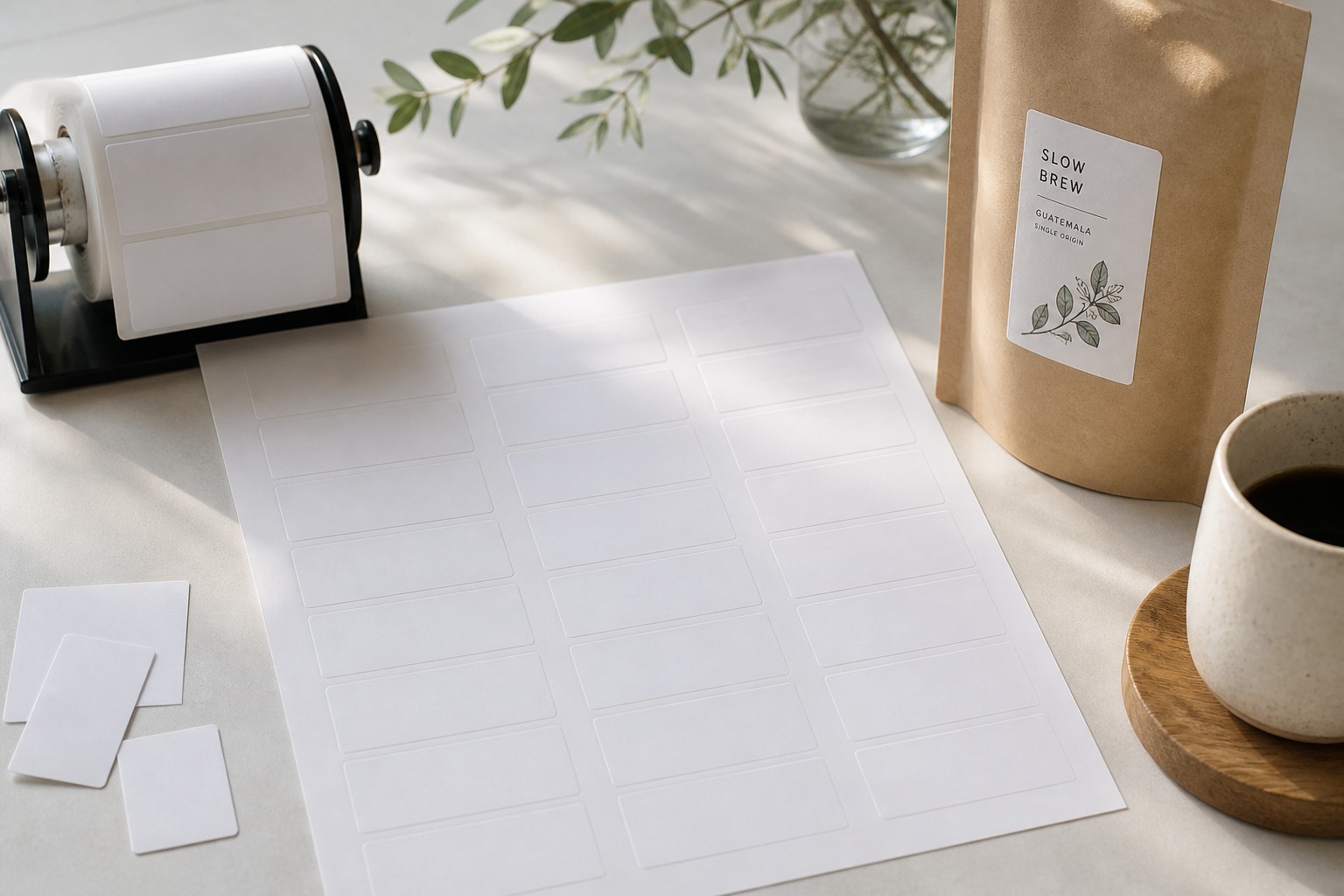
An A4 sheet measures 210mm x 297mm. How many labels fit on it, and how large each one is, depends on the column-and-row grid, the margin around the sheet edge, and the gap (gutter) between labels. The table below covers 12 standard layouts, from 1 up to 65 up, with individual label dimensions for each.
If you need a sheet printed with your own design rather than a generic office-supply grid, see the Paperlust section below. Our Sticker Sheets product lets you print any layout on a sheet up to 295mm x 425mm, which comfortably covers A4.
- A4 sheet: 210mm wide x 297mm tall
- Standard margin: 5mm on all four sides
- Standard gutter (gap between labels): 3mm
- More labels per sheet = smaller individual label
- 21 up (3 columns x 7 rows) is the most common address label format in Australia
- Formula: label width = (usable width – (columns – 1) x gutter) / columns
A4 label sheet layouts: dimensions for every common count
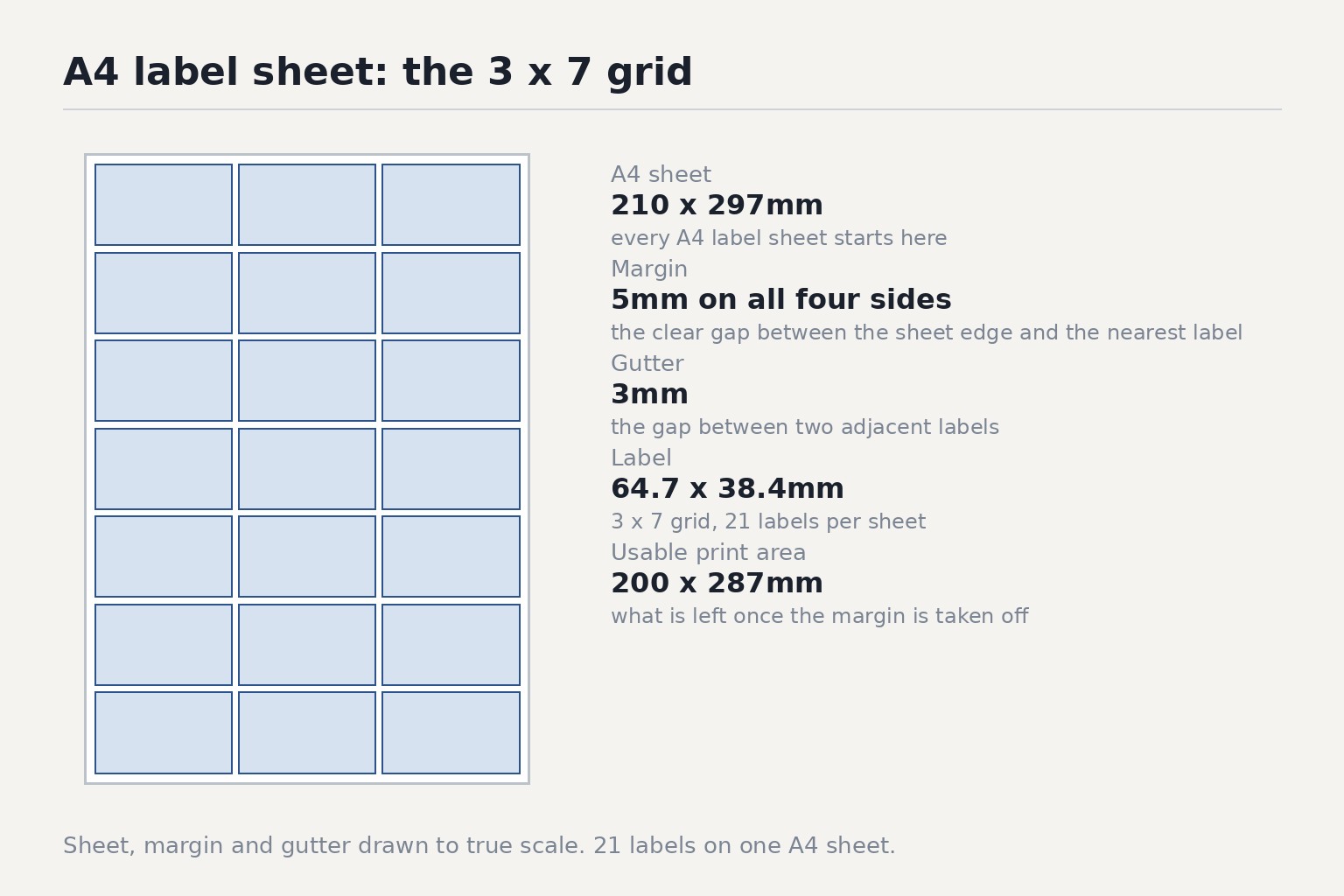
All dimensions in the table use 5mm margins on all sides and 3mm gutters between labels. That gives a usable print area of 200mm wide x 287mm tall. Label suppliers may use slightly different margin and gutter values, so their printed sheets may vary by 1 to 2mm from the figures below.
| Labels per sheet | Grid (cols x rows) | Label width | Label height | Common use |
|---|---|---|---|---|
| 1 up | 1 x 1 | 200mm | 287mm | Full-sheet shipping labels, window decals |
| 2 up | 1 x 2 | 200mm | 142mm | Large parcel labels, product sheets |
| 4 up | 2 x 2 | 98.5mm | 142mm | Courier labels, quarter-page product labels |
| 8 up | 2 x 4 | 98.5mm | 69.5mm | Jam jar labels, product labels |
| 10 up | 2 x 5 | 98.5mm | 55mm | Gift labels, medium product labels |
| 12 up | 3 x 4 | 64.7mm | 69.5mm | Near-square labels for bottles or tins |
| 14 up | 2 x 7 | 98.5mm | 38.4mm | Address labels, name labels |
| 16 up | 4 x 4 | 47.8mm | 69.5mm | Barcode stickers, small price tags |
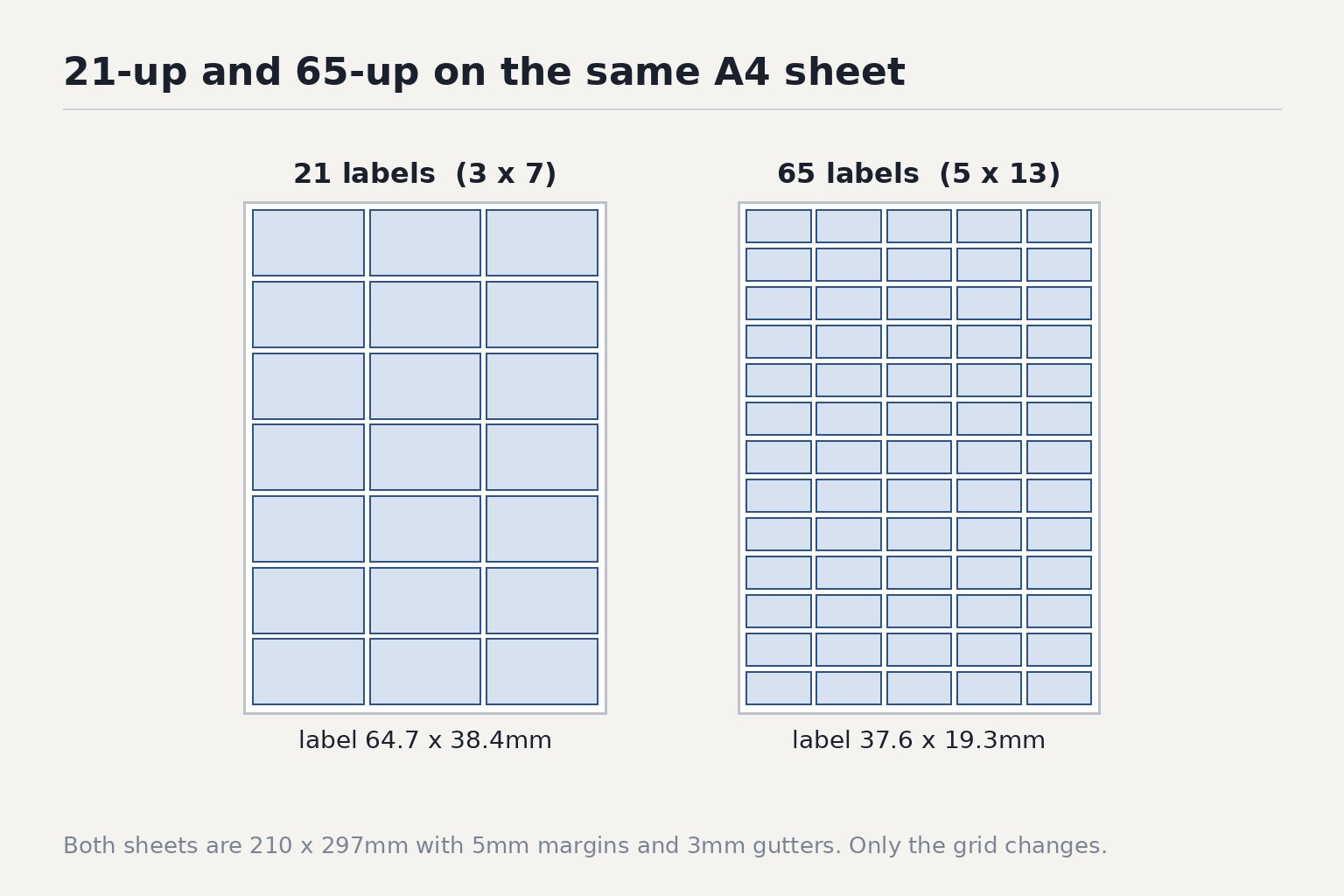
| 21 up | 3 x 7 | 64.7mm | 38.4mm | Return address labels, name badges |
| 24 up | 3 x 8 | 64.7mm | 33.3mm | Small address labels, price stickers |
| 40 up | 5 x 8 | 37.6mm | 33.3mm | Pricing dots, inventory stickers |
| 65 up | 5 x 13 | 37.6mm | 19.3mm | Asset tags, ID dots, very small reference labels |
A note on industry-standard sizes: you will sometimes see the 21-up label quoted as 63.5mm x 38.1mm and the 65-up label quoted as 38.1mm x 21.2mm. Those figures come from sheets designed with approximately 7mm left/right margins, 7.7mm top/bottom margins, and 2.5mm gutters. The grid is the same (3 x 7 and 5 x 13 respectively). If you are buying blank label sheets from an office supply store, check the spec sheet for that brand’s exact margin and gutter settings before finalising your artwork.
How margins and gutters determine label size
Three measurements control every label layout:
- Sheet size: always 210mm x 297mm for A4.
- Margin: the clear gap between the sheet edge and the nearest label. Typical range: 4mm to 8mm.
- Gutter: the gap between two labels in the same row or column. Typical range: 2mm to 3mm.
Usable print area:
- Usable width = 210 – (left margin + right margin)
- Usable height = 297 – (top margin + bottom margin)
Using 5mm margins: usable width = 200mm, usable height = 287mm.
Working out label size from a grid
If you know the number of columns (C) and rows (R) you want:
- Label width = (usable width – (C – 1) x gutter) / C
- Label height = (usable height – (R – 1) x gutter) / R
Example: you want a 3 x 7 grid (21 up), 5mm margins, 3mm gutters.
- Label width = (200 – 2 x 3) / 3 = 194 / 3 = 64.7mm
- Label height = (287 – 6 x 3) / 7 = 269 / 7 = 38.4mm
Checking whether your label size fits an A4 sheet
If you already know the label size and want to know how many fit per sheet:
- Columns = whole number part of ((usable width + gutter) / (label width + gutter))
- Rows = whole number part of ((usable height + gutter) / (label height + gutter))
- Labels per sheet = Columns x Rows
Example: label size 98.5mm x 55mm, 5mm margins, 3mm gutters.
- Columns = whole number part of (203 / 101.5) = 2
- Rows = whole number part of (290 / 58) = 5
- Labels per sheet = 2 x 5 = 10 up
If the result is a decimal just below a whole number (for example, 1.97), the label does not quite fit that many columns or rows. Reduce the label size by 1mm or adjust margins by 1mm to pick up the extra fraction.
What each label count is best suited to
The right layout depends on what you are labelling and how much information needs to fit.
1 up to 4 up
These large-format layouts suit logistics and warehousing: AusPost parcel labels, StarTrack shipping labels, and pick-and-pack slips. A 1-up label at 200mm x 287mm holds a full address block, reference number, barcode, and handling instructions without crowding. The 4-up layout at 98.5mm x 142mm is common for A6-sized product info sheets that are peeled and applied to cartons.
8 up and 10 up
Mid-size product labels for jars, bottles, and packaging. The 98.5mm width gives enough room for a landscape layout: logo on the left, product name centre, weight and ingredients on the right. An 8-up sheet (98.5mm x 69.5mm) suits squat jam jars; a 10-up sheet (98.5mm x 55mm) suits taller candle jars and cylindrical tins.
12 up and 16 up
Near-square labels for round containers, wine bottles, and cosmetic tubes. The 12-up label at 64.7mm x 69.5mm is close to square, which works well when the artwork wraps around a short radius. The 16-up layout at 47.8mm x 69.5mm is narrower and suits elongated oval products.
14 up, 21 up, and 24 up
Address-label territory. The 14-up format at 98.5mm x 38.4mm is wide and shallow, common for postage labels and return-address stickers. The 21-up format at 64.7mm x 38.4mm is the standard office address label format in Australia. The 24-up format is slightly shorter (33.3mm) and is used where you need more labels per sheet but the address lines are brief.
40 up and 65 up
Small reference labels. The 40-up format at 37.6mm x 33.3mm suits pricing dots and inventory codes. The 65-up format at 37.6mm x 19.3mm is roughly postage-stamp size. At that scale, labels are typically printed with a single line of text or a small barcode.
Printing a custom label sheet at Paperlust
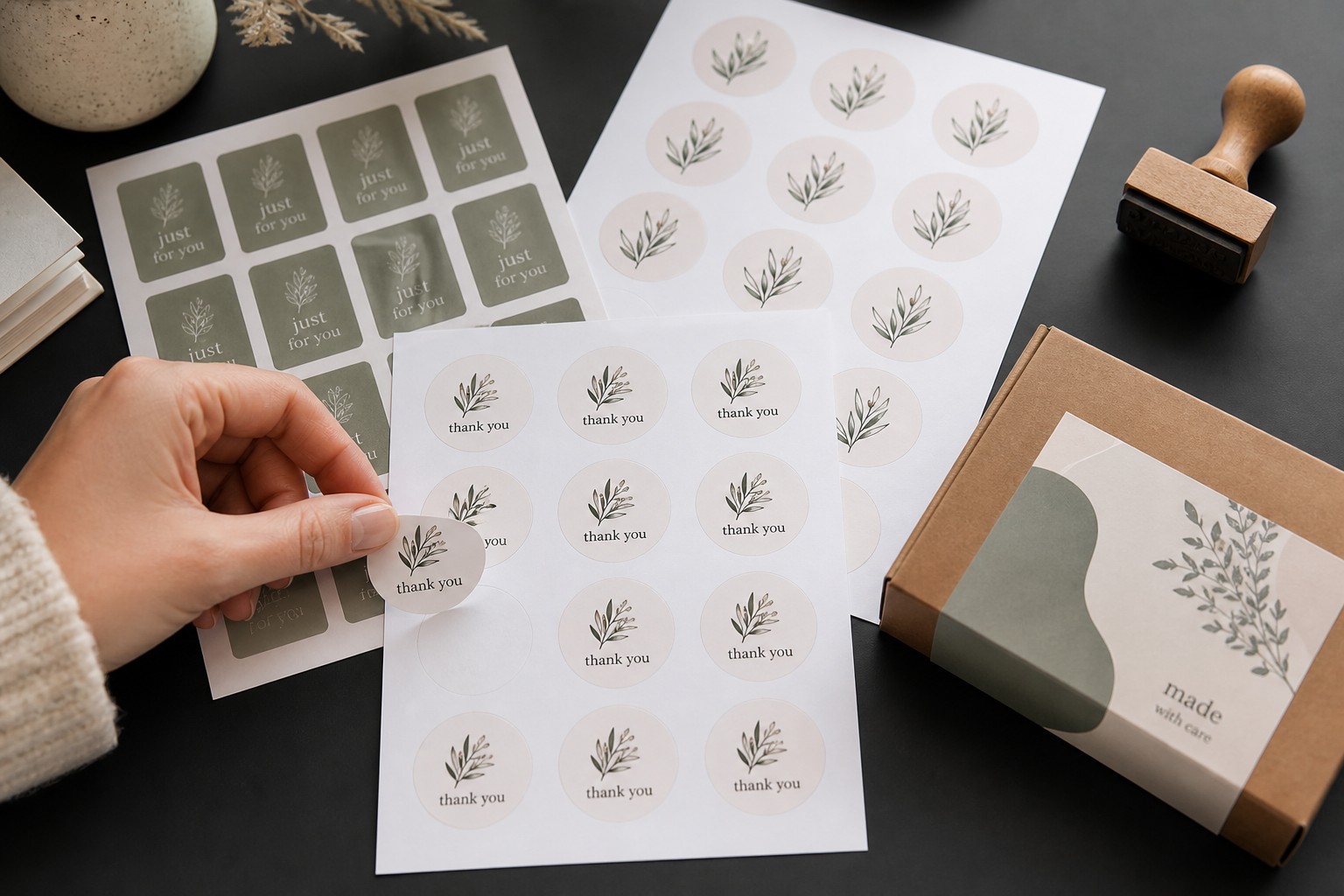
Standard office-supply label sheets come pre-scored in fixed grids designed for home or office printers. If you need a sheet with your own branding, a non-standard layout, or a label size that is not in the table above, Paperlust’s Sticker Sheets product is worth looking at.
Our sticker sheets are printed to your design on a full custom sheet. The default sheet size is 105mm x 148mm (A6), but the maximum sheet size is 295mm x 425mm. An A4 sheet at 210mm x 297mm sits comfortably within that maximum, so there is no need to scale down or crop your artwork.
Key details:
- Minimum order: 10 sheets per design
- 24-hour production
- Price: $7.20 per sheet at 10, falling to $1.00 per sheet at 5,000
The sheet is not pre-cut during printing. You supply the design with your label layout already in place. If you need labels to peel cleanly as individual units, you would need to cut or score the sheet yourself, or request a die-cut run separately.
For individually cut labels printed on White Cast Paper with Matte Laminate, see the Custom Labels range. That includes rectangle, circle, oval, square, rounded corner, and clear options from a minimum of 500 labels. Rectangle labels start at $0.49 each at 500, falling to $0.09 each at 5,000.
Artwork setup for a custom label sheet
Whether you are recreating a standard grid or designing a bespoke layout, the setup steps are the same:
1. Set your document size
Open at the sheet size you are ordering. For A4, that is 210mm x 297mm. If you are ordering a Paperlust sticker sheet at a custom size, set the document to that exact size.
2. Draw your grid
Place guidelines at your chosen label width, height, and gutter. In Adobe Illustrator, the rectangular grid tool draws the full layout in one step. In Canva, use the table element as a guide, then replace it with your artwork.
3. Respect the safe zone
Keep any critical text, logos, or barcodes at least 3mm inside the label boundary. Cutting tolerances on sheet labels are typically plus or minus 1mm, so content that runs to the edge may be trimmed.
4. Export at 300 dpi in CMYK
Labels are read and scanned at close range, so low-resolution artwork will show pixelation. Set colour mode to CMYK before exporting. Export as a PDF with crop marks and bleed included if your printer requests them.
Frequently Asked Questions
What is the most common A4 label sheet layout in Australia?
The 21-up layout (3 columns x 7 rows) is the most widely used for address labels. Each label is approximately 64.7mm wide x 38.4mm tall using standard 5mm margins and 3mm gutters, which is enough for a full postal address in 11pt text.
What size is each label on a 21-up A4 sheet?
Using 5mm margins and 3mm gutters, a 21-up label measures 64.7mm wide x 38.4mm tall. Some label suppliers produce sheets at 63.5mm x 38.1mm using slightly wider margins (approximately 7mm) and narrower gutters (2.5mm). Both are the same 3 x 7 grid.
How do I calculate label size for any A4 grid?
Use: label width = (usable width – (columns – 1) x gutter) / columns, and label height = (usable height – (rows – 1) x gutter) / rows. Usable width = 210 minus both side margins; usable height = 297 minus both top and bottom margins. With 5mm margins and 3mm gutters, usable width is 200mm and usable height is 287mm.
What is the label size for 65-up A4 labels?
A 65-up sheet uses a 5-column x 13-row grid. With 5mm margins and 3mm gutters, each label measures 37.6mm wide x 19.3mm tall. Some supplier sheets use 38.1mm x 21.2mm with different margin settings.
Can I print a custom A4 label sheet at Paperlust?
Paperlust’s Sticker Sheets product prints your custom design on a sheet up to 295mm x 425mm, so A4 (210mm x 297mm) fits within the maximum. Minimum is 10 sheets per design, production is 24 hours, and price starts at $7.20 per sheet at 10, falling to $1.00 at 5,000. For individually cut labels, the Custom Labels range starts at 500 units.
What is the difference between a label sheet and a sticker sheet?
An office-supply label sheet comes pre-scored in a fixed grid (21-up, 65-up, etc.) and is designed for printing through a home or office laser or inkjet printer. A custom sticker sheet is printed commercially with your design already applied, in whatever layout you specify. Sticker sheets are typically higher quality, waterproof, and available in larger quantities.
What is a 1-up A4 label?
A 1-up label uses the full sheet as a single label surface, measuring approximately 200mm x 287mm with standard 5mm margins. These are used for full-sheet shipping labels, window clings, and large product information panels.
What margins and gutters should I use when designing my own A4 label layout?
5mm margins on all sides and 3mm gutters between labels are a practical starting point and match the dimensions in the table above. Some commercial printers use 4mm margins and 2mm gutters to maximise usable label area. Always check the spec sheet from your supplier before locking in your artwork.