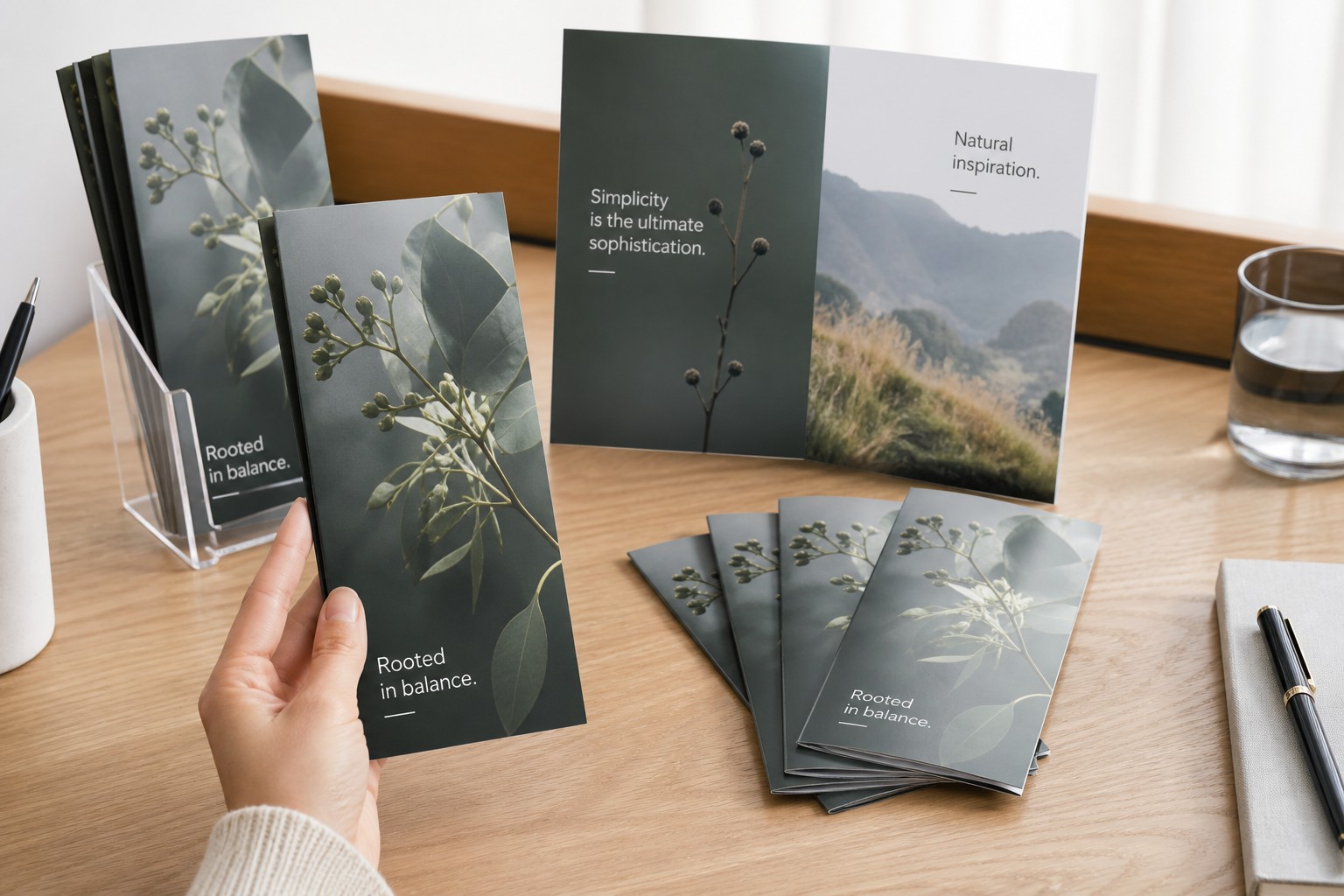
Paperlust Print Shop offers brochure printing in four fold types: DL Roll Trifold, DL Z Trifold, A5 Bifold, and A4 Bifold. Every fold is printed on A-series flat sheets. Stock options are 150gsm Gloss, 170gsm Matte and 250gsm Gloss, with 250gsm Gloss offered on the A5 Bifold and A4 Bifold only. If you are briefing a designer or setting up your own artwork, this guide gives you the flat dimensions, finished sizes, panel widths, and the creep allowance detail that determines whether a trifold closes cleanly or buckles.
- DL Roll Trifold: A4 (210 x 297mm flat) folded to DL (99 x 210mm), six panels, inner panel must be 2-3mm narrower
- DL Z Trifold: A4 (210 x 297mm flat) folded to DL (99 x 210mm), six panels, all panels equal width
- A5 Bifold: A4 (210 x 297mm flat) folded to A5 (148 x 210mm), four panels each 148 x 210mm
- A4 Bifold: A3 (297 x 420mm flat) folded to A4 (210 x 297mm), four panels each 210 x 297mm
- Three stocks: 150gsm Gloss, 170gsm Matte, 250gsm Gloss (A5 Bifold and A4 Bifold only)
- Pricing from $1.23 each at 250 to $0.16 each at 5,000 (inc. GST)
The Four Fold Types Paperlust Prints
Paperlust prints the following four brochure formats. Gate folds, multi-panel accordion folds, and double parallel folds are not currently in the catalogue; the final section explains those alternatives for buyers comparing suppliers.
| Fold type | Flat sheet | Finished size | Panels | Best for |
|---|---|---|---|---|
| DL Roll Trifold | A4 (210 x 297mm) | DL (99 x 210mm) | 6 | Rack cards, hospitality, DL mail campaigns |
| DL Z Trifold | A4 (210 x 297mm) | DL (99 x 210mm) | 6 | Self-mailers, step-by-step guides, trade show handouts |
| A5 Bifold | A4 (210 x 297mm) | A5 (148 x 210mm) | 4 | Service menus, capability statements, product catalogues |
| A4 Bifold | A3 (297 x 420mm) | A4 (210 x 297mm) | 4 | Annual reports, detailed product guides, exhibition handouts |
Bifold Brochures: Sizes and Panel Layout
A bifold is a single sheet folded once along the centre line, producing four panels of equal size. Because no panel tucks inside another, all panels are the same width and no creep adjustment is needed.
A5 Bifold (A4 Sheet)
Flat size: 210 x 297mm. Finished size: 148 x 210mm.
Each of the four panels measures 148 x 210mm, a full A5 portrait panel. This gives designers a generous canvas per panel, well suited to:
- Service menus and hospitality inserts
- Real estate capability statements
- Health and wellness clinic guides
- Product catalogues with images per page
The A5 finished size fits standard A5 envelopes and display stands. Because each panel is a proper portrait rectangle rather than a narrow column, bold full-bleed photography works without feeling cramped.
A4 Bifold (A3 Sheet)
Flat size: 297 x 420mm. Finished size: 210 x 297mm.
Four panels, each 210 x 297mm (A4 portrait). This is the largest standard brochure format and suits situations where you need the real estate:
- Detailed product or technical specifications
- Event programmes
- Annual or sustainability reports
- Corporate capability documents
The A4 finished size is easy to file or archive, but it does not sit in a standard DL rack. If rack distribution is part of the plan, a DL trifold is more practical.
Trifold Brochures: Roll Fold vs Z Fold
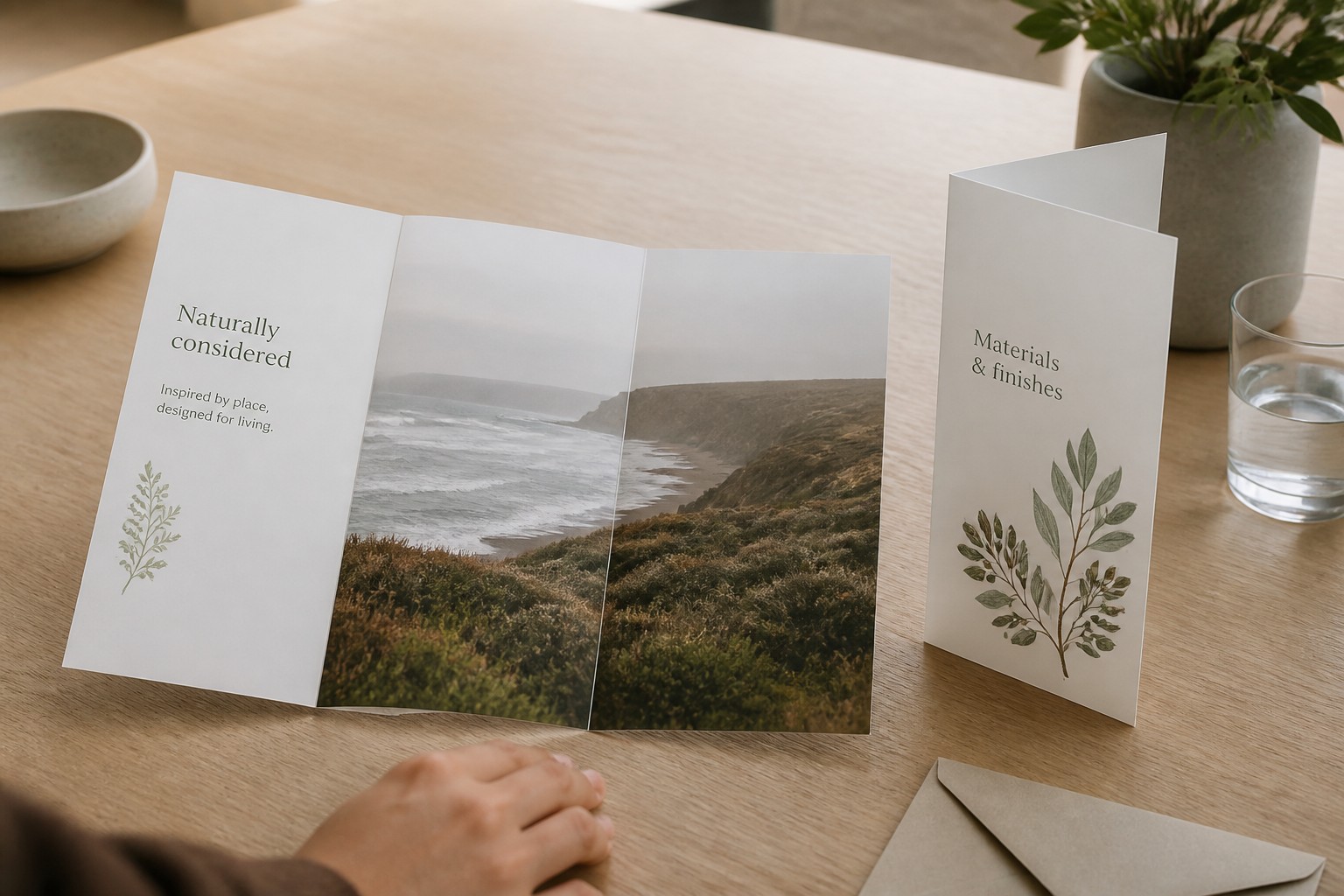
Both trifold variants start from an A4 flat sheet (210 x 297mm) and finish at DL (99 x 210mm). The six-panel count is the same. The difference is structural: how the middle panel folds, and whether all panels can be equal width.
DL Roll Trifold
Across Australian commercial printing, this is the most common brochure format. The sheet folds into thirds: one panel rolls inward, and the other outer panel wraps over it. The result is a compact six-panel piece sized for a standard DL rack and a DL envelope. A folded DL trifold also sits in the pocket of an A4 presentation folder, and the DL folder style is sized for DL sheets.
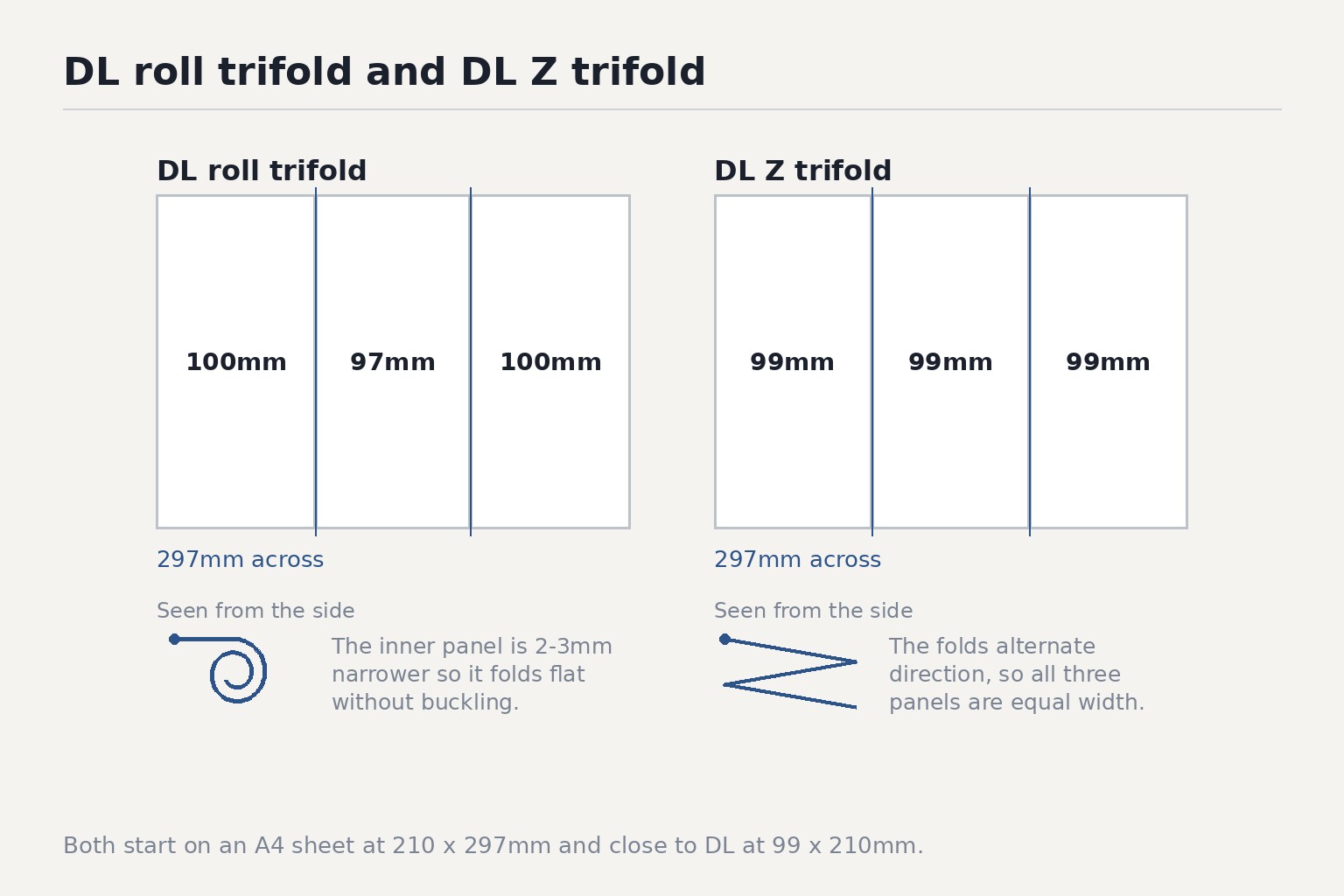
Panel widths are not equal. The inner panel (the one that rolls inside) must be 2-3mm narrower than the two outer panels; otherwise it will buckle along the fold edge when the brochure is closed. A standard layout on an A4 sheet laid landscape (297mm wide) is: two outer panels at 100mm each, inner panel at 97mm (100+97+100 = 297mm). Add 3mm bleed to each edge before submitting artwork.
Design notes for the roll trifold:
- The front cover is the right-hand panel when the sheet lies flat (the outermost face when closed)
- The back cover is the left-hand panel
- The inner panel (97mm, narrower) is the first content a reader sees on opening, making it the natural location for a headline or call to action
- Keep critical content at least 5-6mm clear of each fold line
DL Z Trifold
The Z trifold alternates fold direction: the first fold goes one way, the second folds back the other way, producing a Z shape viewed from the side. Because no panel tucks inside another, all six panels can be equal width (99mm each, 297mm total). No creep allowance is needed.
Z-fold brochures open from both ends independently, which suits:
- Sequential or numbered content where each panel is a distinct step
- Self-mailers, where the back panel can be addressed and posted without an envelope
- Trade show pieces that need to stand upright as a freestanding display
Unlike the roll fold, the Z fold does not close as tightly on its own. A belly band or glue dot is standard finishing when the piece needs to stay shut in transit.
Paper Stocks: Three Options
Paperlust prints brochures on three stocks, all suited to full-colour digital production:
| Stock | Weight | Finish | Best use |
|---|---|---|---|
| Gloss | 150gsm | High sheen | Most business brochures, rack cards, hospitality |
| Gloss | 170gsm | High sheen | Retail, real estate, premium feel at moderate cost |
| Matte | 170gsm | No sheen | Corporate reports, text-heavy or photography-led pieces |
| Gloss | 250gsm | High sheen | Luxury brands, high-end retail, premium product reveals |
The 150gsm gloss is the most popular choice for everyday brochure printing. It holds colour well, folds cleanly, and suits mid-to-large runs without inflating cost.
The 170gsm matte is the right call for anything where readability matters more than sheen: legal and financial services, text-dense technical guides, healthcare waiting rooms. Gloss stocks read with higher saturation and contrast; matte reads softer and cooler. If colour accuracy is critical for your brand, ask about a physical proof before committing to the full quantity.
At 250gsm gloss, a bifold in particular feels closer to a greeting card than a standard handout. This weight suits product reveals or premium event collateral where the tactile impression is part of the message.
A note on show-through: lighter stocks (115-150gsm) can allow slight ink bleed-through when both sides of the same panel carry heavy dark coverage. If your design has large dark blocks on both faces of a panel, step up to 170gsm or ask your designer to stagger the heavy elements.
Pricing: What Quantity Does to the Unit Cost
Brochures from Paperlust Print Shop start at $1.23 each (inc. GST) at a run of 250. At 5,000 the unit cost drops to $0.16 each (inc. GST). The gap between those two numbers makes a strong case for consolidating print runs where possible: 5,000 copies at $0.16 each costs around $826 total; five separate runs of 1,000 each would carry a noticeably higher unit rate.
Pricing also varies by paper stock and fold type. For a live quote based on your exact specification, visit the brochure printing page.
If you are deciding between a brochure and a simpler single-sheet option, the flyer printing range covers DL, A6, A5, A4, and A3 on the same three stocks, starting from $0.30 per unit at 250.
Setting Up Artwork for Brochures
Getting file setup right before you send to print avoids costly reprints.
Essential artwork requirements
- File format: PDF, SVG, or Adobe Illustrator (.ai) preferred
- Bleed: 3mm bleed on all edges, with crop marks included
- Fonts: All fonts must be outlined (converted to curves) before export
- Images: Embed all linked images; do not supply separate image files
Fold-line rules
The most common brochure print problem is content running too close to a fold. A fold is never perfectly precise across a full production run, so keep a 5-6mm safe zone on either side of each fold line. Text, logos, and critical visual elements that cross a fold line will look misregistered on the finished piece.
For the DL roll trifold specifically, confirm the inner panel is 2-3mm narrower than the outer panels before submitting artwork. A layout that sets all three columns to equal width will produce a brochure that buckles when folded.
Colour on gloss vs matte
Gloss stocks render colours with higher saturation and contrast than matte. If you proof a design on screen and then print on matte 170gsm, expect slightly softer, cooler output. This is expected behaviour. For colour-critical applications such as brand identity documents, request a physical proof run before committing to the full quantity.
Fold Types Paperlust Does Not Currently Print
The following fold types appear regularly in print industry comparisons. They are not in the Paperlust catalogue at present, but the descriptions below are included as reference for buyers reviewing their options.
Gate fold: Two outer panels fold inward to meet in the centre, creating a reveal effect. Six or more panels in total. Paperlust does not currently offer gate fold printing.
Multi-panel accordion fold: Four or more panels fold back and forth in a concertina pattern, useful for maps, timelines, and content with a long sequential flow. The DL Z Trifold is a three-panel concertina variant; Paperlust does not print accordion folds with four or more panels.
Double parallel fold: A sheet folded once, then folded again parallel to the first fold, producing eight panels. Not available at Paperlust.
For enquiries about these formats, contact printshop@paperlust.co.
Frequently Asked Questions
What fold types does Paperlust Print Shop offer for brochures?
Paperlust prints four fold types: DL Roll Trifold (A4 folded to DL), DL Z Trifold (A4 folded to DL), A5 Bifold (A4 folded to A5), and A4 Bifold (A3 folded to A4). Gate folds, multi-panel accordion folds, and double parallel folds are not currently available.
What is the most common brochure size in Australia?
The DL trifold is the most widely used brochure format in Australian commercial printing. It folds from an A4 sheet down to DL (99 x 210mm), fits standard DL racks and envelopes, and delivers six panels of content in a format that also works as a self-contained mail piece.
What is the difference between a roll trifold and a Z trifold?
Both start from an A4 flat sheet and finish at DL (99 x 210mm) with six panels. In a roll trifold, the inner panel tucks inside the outer two, so it must be 2-3mm narrower to fold flat without buckling. In a Z trifold, the folds alternate direction like a fan, so all three panels can be equal width. Z trifolds open from both ends, making them better suited to sequential content and self-mailers.
What are the panel dimensions for an A5 bifold?
Flat sheet: 210 x 297mm (A4). Finished size: 148 x 210mm (A5). Each of the four panels is 148 x 210mm. All panels are equal in size and no creep allowance is needed for a bifold.
What paper weight should I use for a brochure?
150gsm gloss is the most practical choice for most brochure applications. It holds vivid colour, folds cleanly, and suits mid-to-large print runs without inflating cost. Step up to 170gsm for a more substantial feel or for designs with heavy ink coverage on both sides of a panel. Choose 250gsm gloss for premium or luxury applications where a card-like stiffness is part of the brand impression.
How do I set up artwork for a DL roll trifold?
Supply a PDF, SVG, or Adobe Illustrator file with 3mm bleed on all edges and crop marks included. All fonts must be outlined and all images embedded. The inner panel must be 2-3mm narrower than the two outer panels; a standard split on a 297mm wide A4 sheet is 100mm (outer), 97mm (inner), 100mm (outer). Keep critical content at least 5-6mm clear of each fold line.
How much do brochures cost?
Brochure printing from Paperlust starts at $1.23 each (inc. GST) at a quantity of 250, dropping to $0.16 each (inc. GST) at 5,000. Final pricing varies by fold type, paper stock, and quantity. The product page provides a live quote for your exact specification.
What is the difference between a brochure and a booklet?
A brochure is a single sheet folded to create panels: four panels for a bifold, six for a trifold. A booklet is a multi-page document bound at the spine, typically with eight or more pages. Brochures cost less per unit, distribute easily in display racks, and are faster to produce. Booklets suit longer content, product catalogues, and pieces that need to open completely flat.