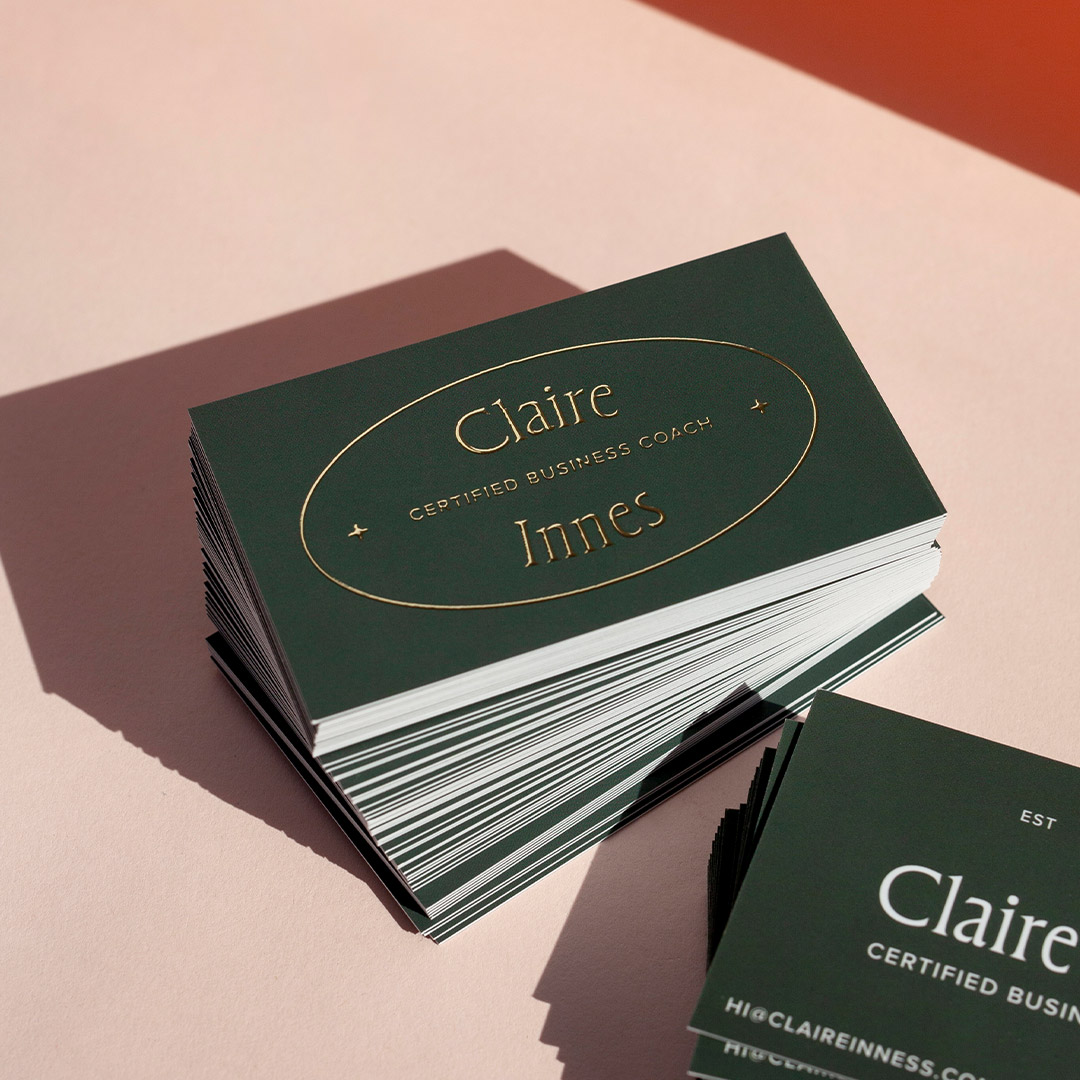
The question is not just what to put on a business card. It is what to include, in what order, and what to cut entirely. A card that puts your name where eyes land first, your contact details where hands instinctively look, and your print finish where fingers want to touch it will do more work in a 30-second conversation than a card that crams everything onto 90 x 55mm of space and hopes for the best. This guide covers every element that belongs on a modern Australian business card, the hierarchy rules that govern where each one lives, industry-specific adjustments for seven professional categories, and a print-ready checklist you can use before you order.
At a glance
- 7 must-have elements: full name, job title, company name, logo, mobile, business email, website URL
- Front vs back split: front = identity (who you are); back = contact details and next step
- Standard AU card size: 90 x 55mm with a 3mm safe zone on all edges
- QR codes: link to a landing page or digital card profile, not your homepage; minimum 15 x 15mm for reliable scanning
- Minimum type size: 8pt absolute floor; 9pt recommended for contact details
- Industry matters: tradies need a licence number; real estate agents need a suburb descriptor; creatives need a portfolio URL above a phone number
- Card stock: 350gsm minimum for a card that survives a jacket pocket and still feels premium when handed over
The Must-Have Business Card Checklist
Every business card brief should start with this checklist. These seven elements are non-negotiable regardless of industry, business size, or card style. Tick each one before sending files to print.
- Full name: the name you use professionally, prominent on the front
- Job title or professional descriptor: concise and specific, beneath your name
- Company name and logo: both unless your logo is a wordmark that includes the company name
- Mobile phone number: one number only, formatted as +61 4XX XXX XXX for international reach
- Business email address: domain email only; @gmail or @icloud signals a credibility problem
- Website URL: drop the https:// prefix; link to a purposeful destination, not a holding page
- Social handle or QR code: optional but increasingly standard; one platform only if social, and only if actively maintained
The table below shows status, recommended placement, and when each element can be skipped.
| Element | Status | Recommended placement | When to skip |
|---|---|---|---|
| Full name | Essential | Front, primary hierarchy | Never |
| Job title | Essential | Front, beneath name | Only if company name says it all |
| Company name / logo | Essential | Front, dominant visual | Never |
| Mobile phone | Essential | Back, first contact element | Never |
| Business email | Essential | Back, beneath phone | Never |
| Website URL | Essential | Back, beneath email | If site is genuinely empty |
| Physical address | Optional | Back, footer area | Non-retail, non-client-facing roles |
| LinkedIn URL | Optional | Back, alongside website | If profile is not maintained |
| QR code | Optional | Back, right column or bottom | If linked page is weak |
| Social handle (one only) | Optional | Back, footer | If not actively maintained |
| Pronouns | Optional | Front or back, near name | If not relevant to your context |
| Second phone number | Skip | Not applicable | Always, creates contact hesitation |
| Fax number | Skip | Not applicable | Always, obsolete |
| Multiple social handles | Skip | Not applicable | Always, choose one or none |
A copy-ready business card brief
Paste this block into the brief you send to your printer or designer, replace every bracketed prompt with your own details, and delete any line that does not apply.
Full name: [First and last name]
Job title or professional descriptor: [e.g. Founder and lead designer]
Company name and logo: [Company name, attach vector logo]
Mobile number: [e.g. +61 4XX XXX XXX]
Business email: [name@yourdomain.com]
Website URL: [yourdomain.com.au, no https prefix]
Social handle or QR code: [@handle or attach QR code]
Card size: [90 x 55mm]
Bleed: [Printer's required bleed]
Safe margin: [Printer's required safe margin]
Ready to order? Paperlust Print Shop’s standard business cards are available Australia-wide. Upload your own design or use the hierarchy frameworks in this guide.
What makes a good business card
A business card can carry every correct element and still fail at the handover. The name is present, the phone number is present, the website is present, and the recipient still does not know what you do. A good business card is not a checklist with all the boxes ticked. It is a physical tool with one job, usually to get the reader to make contact later, and everything on it either serves that job or dilutes it. Clarity does that job. Completeness often works against it.
The second thing is legibility at arm’s length in bad light. The type has to stay readable in a dim restaurant, a workshop entrance or the bottom of a bag. If someone has to tilt the card toward a light to read your number, the design has already failed its only moment of use. The most important line, the name or the service, should never hide behind a logo.
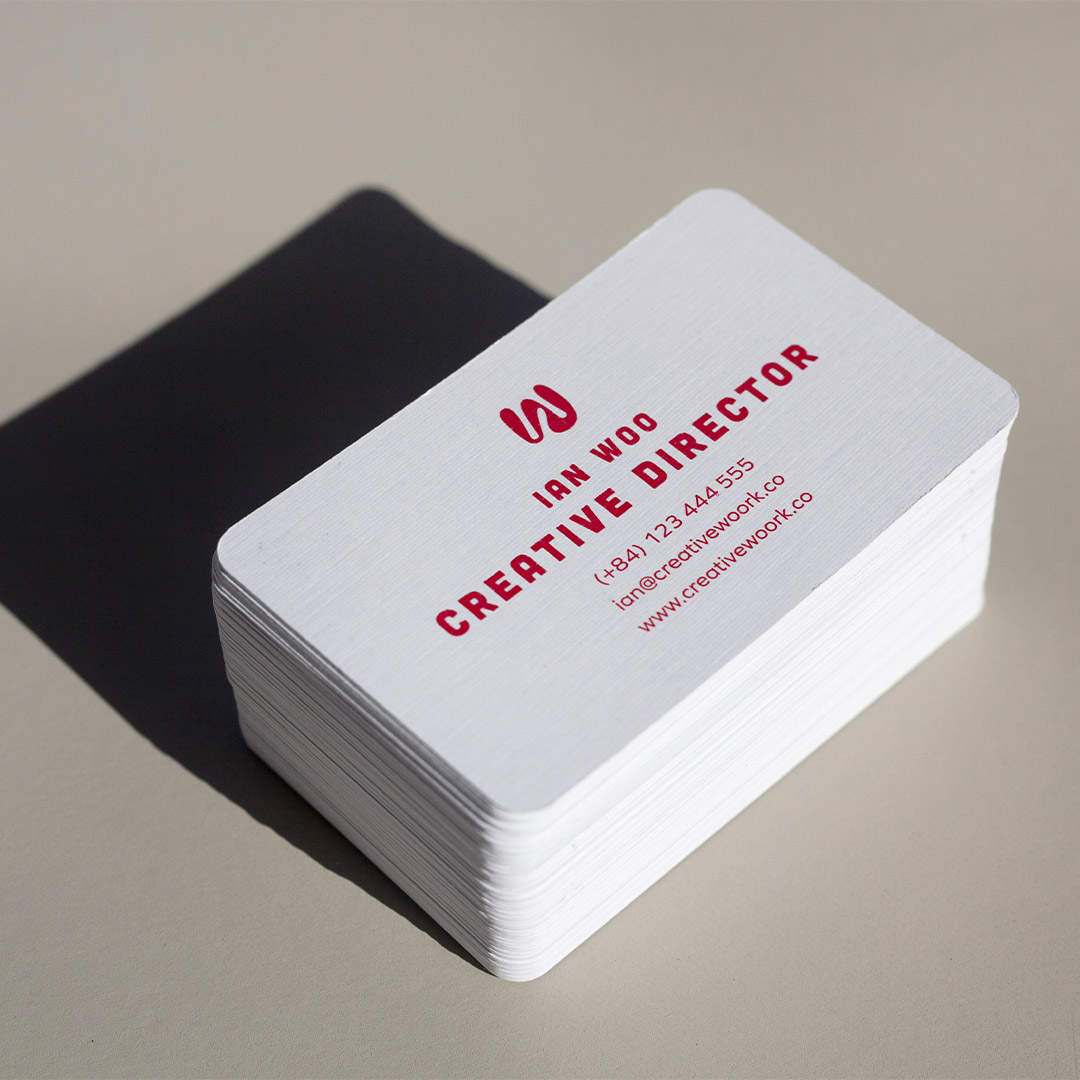
The third thing is physical quality, and that starts with stock. The paper is the part of the card the recipient feels before they read a word. Paperlust’s standard business card papers are Linen, Cotton, Metallic, Matte, and Artboard with Velvet Laminate, with the rectangle and rounded corner cards at 90mm x 55mm. A Linen or Artboard card sets a different expectation from a flimsy print, and that feeling should match what you are selling.
The final check is the test. Hand the card to someone who does not know your business and ask them what you do. If they hesitate, the card is not finished. A good card is not judged by how much it includes. It is judged by whether a stranger can read the job and act on it the next day.
Front vs Back: How to Distribute Information Properly
Most business card design mistakes are really information distribution mistakes. Everything gets loaded onto the front because the front is where the designer spends their time, leaving the back as an afterthought or a blank reverse. A front-back strategy that assigns a specific job to each side produces a card that is both cleaner and more effective.
Front: the identity layer
The front answers one question: who are you? Your name, your job title, your company name, and your logo. Four elements maximum. The front is not where contact details live. It is where brand impression is made. A well-designed front with generous white space, a strong logo, and clear typographic hierarchy will be remembered. A front crammed with phone numbers, email addresses, and social handles will not.
If you use a full-bleed design, texture, or colour on the front (dark background, bold graphic, large brand illustration), lean into it. Let the front be purely visual and push all contact information to the back. The contrast between a visually bold front and a clean, functional back creates the kind of physical experience that makes a card worth keeping.
Back: the utility layer
The back answers the follow-up question: how do I reach you, and what should I do next? Phone, email, website, and QR code live here. A brief tagline or one-line value proposition can appear at the top of the back as a context reminder, useful when the card has been in a wallet for two weeks and the recipient needs a prompt about who you are. The back can carry more density than the front because it is a reference tool, not a first impression.
For two-sided cards, the front-back split also solves the most common layout problem: not enough room. When contact details are on the back, the front has room to breathe. When everything is on the front, nothing has room to be legible.
QR Codes and Digital Business Cards
As of 2026, every major smartphone operating system scans QR codes natively via the camera app. No third-party app is required. The barrier to QR adoption that existed five years ago is gone, which means a QR code on your business card is no longer a tech-forward differentiator. It is table stakes for roles where digital follow-through matters.
The question is not whether to include one. It is where it links.
- Link to a dedicated landing page, not your homepage. A page optimised for new contacts (brief bio, what you do, a single call to action) converts far better than a homepage built for everyone.
- Digital business card services such as HiHello or Popl generate QR codes that link to a mobile-optimised profile with all your contact details in one tap.
- Minimum size: 15 x 15mm for reliable scanning on a standard 90 x 55mm card.
- Include a one-line CTA: “Scan to connect” or “Scan for my portfolio” tells the recipient exactly what they get before they scan.
- Place it on the back, right column or bottom-right corner.
NFC-enabled cards
Near-field communication chips embedded in card stock allow a simple tap to a smartphone to open any URL. NFC-enabled cards are available from specialist print providers and typically add $2-5 per card to production cost. They are most relevant for founders, tech professionals, and enterprise sales roles. Note that NFC requires a smartphone with NFC enabled, so a QR code on the back remains a useful backup.
Industry-Specific Guidance
The seven essential elements apply universally, but the order of priority and the supplementary information that adds professional credibility varies significantly by industry. Use the table below as a starting point, then apply the hierarchy rules above to sequence your specific elements.
| Industry | Must include | Strong recommendation | Usually skip |
|---|---|---|---|
| Real estate | Full name, mobile, email, agency name/logo, licence number | Suburb or service area descriptor, professional headshot, QR to listings | Full street address, fax number |
| Medical / allied health | Full name with credentials (e.g. BPhysio, MBBS FRACGP), clinic name, clinic phone, website | Clinic address, appointment booking URL | Personal mobile, social handles |
| Legal | Full name, professional title (Solicitor / Barrister), firm name, direct phone, email | LinkedIn URL, practising certificate jurisdiction | Taglines, slogans, social handles |
| Creative / design | Full name, role descriptor (e.g. Brand Identity Designer), portfolio URL, email | Instagram handle or Behance URL, QR to portfolio | Formal job title if freelance and title adds nothing |
| Tradies | Business name, mobile, email, trade licence number, suburb or service area | After-hours number for emergencies, ABN | Website if genuinely empty or under construction |
| Consulting | Full name, title, company, mobile, email, LinkedIn URL | Booking or calendar link (e.g. Calendly), QR to profile | Physical address unless co-working space is client-facing |
| Hospitality / events | Business name, logo, venue or brand descriptor, mobile, email | Instagram handle, website with menu or gallery, address | Personal name if staff card for brand-led venue |
Licence and ABN requirements
Whether you need to show your ABN on a business card depends on your trade and your state, not on the card itself, and the full licence and ABN requirements are covered later in this article.
3 Information-Hierarchy Frameworks You Can Use Straight Away
These frameworks are information architecture guides. Use them to decide what information goes where before you open a design tool or talk to a printer. The card style and finish recommendations are starting points, not requirements.
Framework 1: The Classic (name-forward)
The Classic places the individual at the centre of the card identity. It works for consultants, lawyers, accountants, financial planners, healthcare practitioners, and most professional services roles.
- Front: Your name (12-16pt, bold), job title directly beneath (10pt, regular), company logo top-right or bottom-right, optional company name below logo
- Back: Company name or logo at top, phone and email in two lines (9pt), website URL below, optional tagline or credential at the bottom in 8pt
- Card style: Standard or spot UV on name/logo; 350-400gsm matte or uncoated
- Key principle: The back functions as a reference card, clean, left-aligned, no decorative elements competing with contact information
Framework 2: The Company-Forward
The Company-Forward centres brand over individual. It works for agency staff, franchise operators, hospitality businesses, retail, and any role where the company identity carries more weight than the individual’s name.
- Front: Logo large and dominant (centred or upper-left), company name in full, your name small at the bottom (8-9pt), job title optional
- Back: Your name and title at the top, phone, email, and website below, QR code bottom-right corner
- Card style: Premium finish on the front logo; clean matte back for contact readability
- Key principle: The front is marketing; the back is utility. The card as a whole carries both functions without either undermining the other
Framework 3: The Digital-First
The Digital-First card is built around the assumption that meaningful follow-up happens digitally. The QR code is a primary design element, not an afterthought. It works for tech founders, startup teams, creative professionals, conference speakers, and anyone whose digital presence converts better than a phone call.
- Front: Your name and role (left column, 60% of width), large QR code (right column, 35-40mm square minimum), company logo small at top-left
- Back: One-sentence value proposition in 11-12pt, email address, optional Instagram or LinkedIn handle, nothing else
- Card style: Spot UV or premium finish on the QR code draws attention to it; dark or coloured stock for the front to create visual contrast
- Key principle: The QR code is the call to action. Every other element supports it
What to Leave Off Your Business Card
The instinct to include more is understandable. But a card that tries to do everything ends up doing nothing well. These five elements consistently hurt more than they help.
1. Multiple phone numbers
Two phone numbers force the recipient to choose which one to call and when. That uncertainty creates friction at the exact moment you want action to be easy. Choose one number (mobile) and let voicemail and call forwarding handle the rest.
2. Multiple social media handles
Listing five social platforms communicates one thing: you have not thought about where you actually want the conversation to happen. Pick the platform that best reflects your work and your clients. If you are not actively posting on a platform, do not list it. A dormant profile discovered via your business card is worse than no profile at all.
3. Your street address (if you are not client-facing)
Brick-and-mortar retail, medical practices, and businesses where clients physically visit you need an address. Consultants, freelancers, remote teams, and digital agencies generally do not. A suburb or region descriptor (“Based in Melbourne’s inner north”) gives geographic context without the full address and takes a fraction of the space.
4. A complete list of services
Your website exists for this. A card listing eight service categories in 7pt type will not generate enquiries. One clear job title or a strong tagline does more qualifying work than a bulleted service list, because it prompts the recipient to ask you a question rather than attempting to read your brochure mid-conversation.
5. Generic corporate slogans
If a tagline cannot be claimed exclusively by your brand (if your competitor could run it without changing a word), cut it. Use that space for something unique: a specific value proposition, a certification, or simply more breathing room around your contact details.
What Australian law actually says about the ABN on a business card
There is no Australian law that requires an ABN on a business card, which is neither a tax invoice nor a public document under section 153 of the Corporations Act 2001. The ABN rule people remember is an invoice rule: if an invoice does not show an ABN, the payer may have to withhold tax. A company must set out its name and Australian Company Number on public documents and negotiable instruments, but business cards are not public documents for that purpose. Nothing about the card triggers the ABN, and the requirement attaches to the invoice you send afterwards.
Should you put an ABN on the card anyway? That is a business decision, not a legal one. An ABN gives a prospective client a way to verify your entity on the ABN Lookup register before they engage you. It saves a step for clients whose accounts team needs the number to raise a purchase order. It also signals that the business is registered rather than informal. None of those outcomes is required by law, but each can make the next transaction easier. If the card is used for quoting, billing or onboarding new suppliers, showing the ABN can reduce a day one request for your details. Leave it off, and you will probably be asked for it by email.
The real exception is licensed trades. In Queensland, the Queensland Building and Construction Commission treats a business card as an advertisement, so a licensee must include the name they are licensed under and their QBCC licence number in advertising. That rule sits in section 54 of the Queensland Building and Construction Commission Act 1991, with a maximum penalty of 35 penalty units. High visibility clothing such as vests and shirts is exempt. In New South Wales, the Home Building Act 1989 requires a licensee’s name and licence number, the correct category of work, and a business telephone number in all advertising. NSW Fair Trading enforces it, and its guidance lists print, internet, television and radio advertising without naming business cards specifically. Check your own regulator, not this page.
How to use a business card after it is printed
The card is a prompt for a later action, not the action itself. No one hires you because you handed them a rectangle. They contact you later because the conversation had a reason and the card preserved it. That changes where the card belongs in a meeting, which is at the end of a conversation that had a reason, not at the start as an opener. That is how you use a business card: as a prompt, not as a pitch.
When you hand it over, say one specific sentence about the next step. “I will send you the quote on Tuesday” or “Call me after you have checked the sample” is a reason to keep the card. A generic “Let me know if you need anything” is a reason to put it in a drawer and forget the face.
Write a short note on the back before you hand it over, for the same reason. A week later the recipient may remember the conversation but not the detail. A few words, “new kitchen benches”, “keen to start in August”, turn the card into a bookmark for that specific job. It is also a genuine argument for leaving the back less crowded, because blank space on the back is where the card becomes useful.
Do the same with cards you receive. Photograph or log them the same day, with a line about the context. A stack in a drawer is not a network. It is a stack of forgotten conversations, and every day that passes makes the photo less likely to happen.
Carry more than you think you need, and carry them on you, not in a box at the office. A card cannot work from a drawer. Keep a small stack in your bag, your car and your jacket, and replenish them when your own hand count drops below five. The card only does its job when it is in the room where the conversation happens.
If the card is printed and stays in the box, it is not a business tool. It is packaging for your contact details. Use it as a prompt: give it a reason, give it a note, and follow up while the conversation is still warm.
Print Spec Checklist: Before You Send to Print
Use this checklist before sending your files to a custom business card printer. A single missed step can mean a reprint.
- File in CMYK colour mode (not RGB)
- 300 DPI resolution at final print size
- 3mm bleed on all sides
- Fonts embedded or converted to outlines
- Safe zone 3mm from all edges for all content
- Phone number includes +61 country code for international contacts
- Email is a domain address, not a personal account
- QR code minimum 15 x 15mm if included
- Card size 90 x 55mm (standard AU) unless intentionally using a non-standard format
For a detailed breakdown of sizes and formats, see the complete Australian business card sizes guide. For design layout guidance, see how to design business cards in 2026.

Frequently Asked Questions
What are the most important things to put on a business card?
The seven essentials are: your full name, job title, company name and logo, mobile phone number, business email address, and website URL. Every other element is optional. If space is tight, prioritise these seven and cut everything else before reducing type size.
Should I put my address on a business card?
Only if clients or customers visit you physically (retail stores, medical clinics, legal offices, trade showrooms). Consultants, freelancers, remote workers, and digital businesses generally do not need one. A suburb or region descriptor gives geographic context without the privacy exposure of a full street address.
How much information is too much on a business card?
A useful rule is the arm’s-length test: if you cannot read every element comfortably at arm’s length, there is too much. Most cards become overcrowded at more than seven or eight text elements. When in doubt, remove one element and see if the card reads better.
Should my business card have both a front and a back?
Two-sided cards give you the space to assign a clear job to each side (identity on the front, contact details on the back) without crowding either. Single-sided cards work for very simple layouts but struggle the moment you add a QR code, tagline, or address. For most professional contexts, a two-sided card is worth the small additional cost.
What size is a standard Australian business card?
The standard business card size Australia (90 x 55 mm) sets the canvas for your layout, leaving an 84 x 49 mm safe area 3 mm inside each trim edge. Full size and setup details live on that page.
Do I need a QR code on my business card?
Not universally, but increasingly yes for roles where digital follow-through matters. QR codes are scanned natively by all current smartphone operating systems in Australia without an app. If the destination page is strong (a portfolio, a booking system, a well-built landing page), a QR code meaningfully increases the value of the card. Always include a one-line CTA next to the QR code explaining what it does.
What font size should I use on a business card?
The minimum readable size for contact information on a standard 90 x 55mm card is 8pt. Recommended sizes: name at 12-16pt bold, job title at 10-12pt regular, contact details at 8-9pt regular. Never go below 7pt for any meaningful content.
Should I put my photo on a business card?
In most Australian industries, no. The exceptions are real estate agents (where a headshot is a strong industry norm) and financial planners. For everyone else, a photo competes with your logo and reduces space for information. If you do use one, size it at minimum 30 x 30mm and use a professionally taken headshot.
Which social media handle should I include on a business card?
One platform only, and only if you actively post content that reflects your professional brand. LinkedIn for B2B and professional services. Instagram for creative, hospitality, beauty, and retail. Facebook for community-based local businesses. A dormant profile found via your card creates a negative impression that outweighs any benefit.
How should I format my phone number on a business card?
Use the +61 international dialling format: +61 4XX XXX XXX for mobile numbers. Drop the leading zero from the domestic format (04XX becomes +61 4XX). This format is immediately dialable from any country without the recipient needing to look up Australian country codes.
What card stock should I use for a professional business card?
350gsm is a practical minimum for professional contexts. It survives normal handling and a jacket pocket without bending. For premium impressions, 400gsm and above paired with a soft-touch matte laminate or a specialty print finish creates a card with both physical weight and visual texture. See the standard business cards product page for current stock and finish options.
Order business cards Australia-wide. Paperlust Print Shop offers standard business cards printed on quality Australian stock, with fast turnaround. Upload your design or talk to the team about layout and finish options.